Governance Controls
These are the controls described in the Agentic Control Plane overview: permissions, the guardrail level, and the audit trail.
Security and permissions
The MCP server does not bypass existing access controls. Every tool call uses the authenticated user's or API key's permissions, and the selected endpoint limits which organization or instance the agent can reach.
- Enabling the platform endpoint does not automatically expose every instance. Instance access is a separate opt-in control.
- The guardrail level limits MCP tool calls on both endpoint types and never grants additional access. Delegated Akuity agent actions follow separate AI Agents tool policies.
- Approving an AI Agents tool action through MCP requires update permission on the target instance and the Full guardrail level.
- Write operations that change managed state through MCP are recorded in the audit log under the authorizing user or API key and tagged via MCP. See Audit.
- Review tool calls before approving them.
- Ordinary conversations started through the platform endpoint require a target instance and are shared with its authorized users. Ordinary conversations started through a direct endpoint are initially private to their creator. Incident investigations and promotion analyses are shared operational records on either endpoint.
- Treat application manifests, diffs, events, and workload logs as potentially sensitive data.
- Use least-privilege accounts and API keys, and rotate credentials according to your organization's policy.
Set the guardrail level
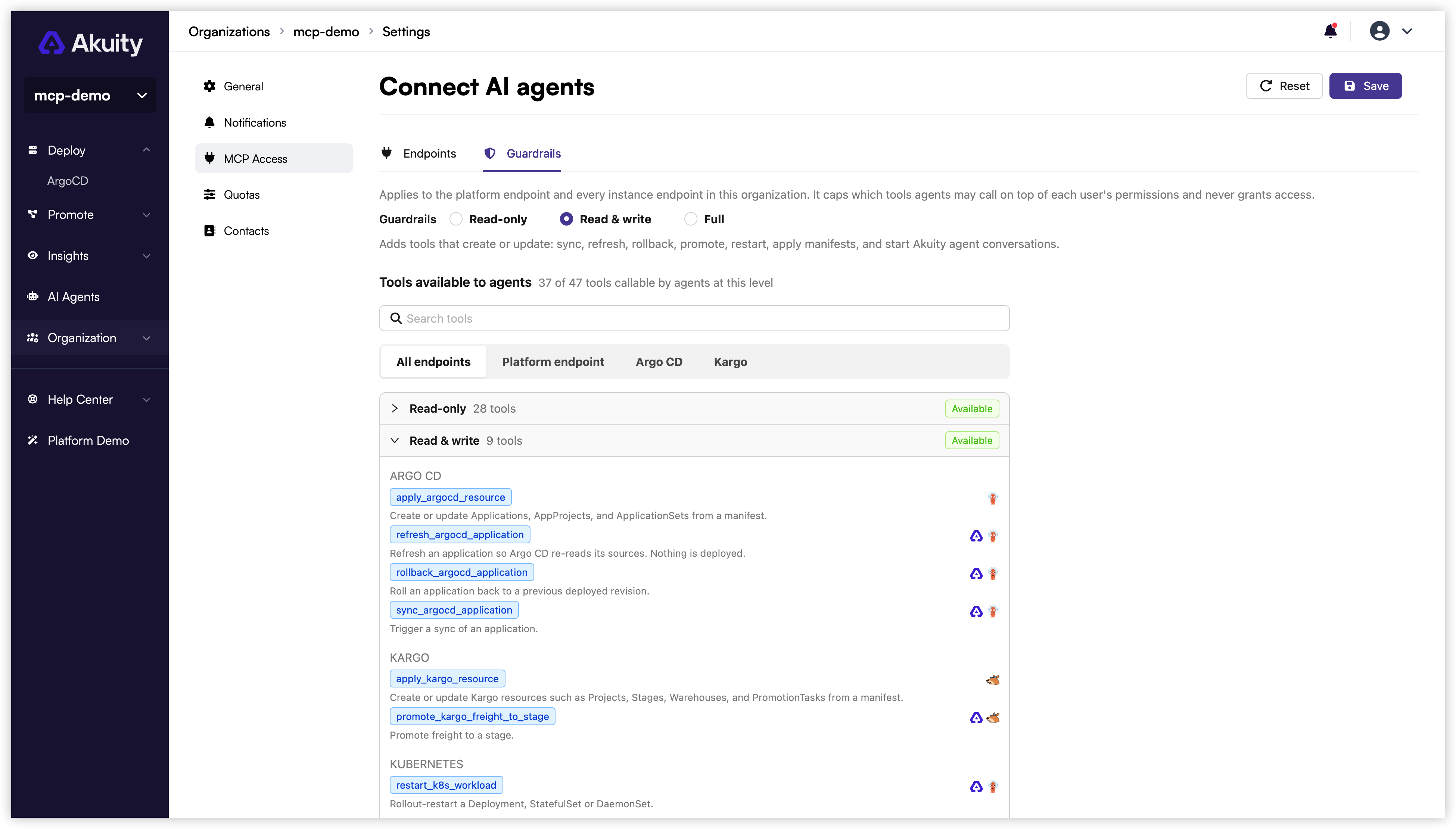
The guardrail level limits which MCP tools clients can call through the platform endpoint and direct instance endpoints. It does not grant permissions beyond the caller's existing access.
The tool reference lists the level each tool requires.
| Level | Allowed MCP tools |
|---|---|
| Read-only (default) | Inspect applications, stages, resources, logs, diffs, events, and statistics. Nothing is changed. |
| Read & write | Adds tools that create or update: sync, refresh, rollback, promote, restart, apply manifests, and start AI Agents conversations. |
| Full | Adds destructive tools: delete instances, clusters, agents, and resources; apply instance specifications; patch Kubernetes resources; approve AI Agents tool actions. |
Delegated Akuity agent actions follow the organization's AI Agents tool policies separately. Read & write allows starting and messaging agent conversations. Those agents may perform actions automatically when their tool policies permit them, including Kubernetes patches whose corresponding MCP tool requires Full. Configure AI Agents tool policies to require approval or deny those actions.
- Go to Organization Settings → MCP Access → Guardrails.
- Select a level. The catalog below the selector lists every tool under the level it requires.
- Click Save.
A call above the configured guardrail level fails with an error that identifies the required and configured levels, for example:
tool "delete_argocd_instance" requires guardrail level "full"; this organization's level is "read_write"
Audit
Write operations that change managed state through MCP appear in the organization audit log under the user or API key that authorized them, tagged via MCP. Read-only operations, application refreshes, and AI Agents conversations do not create audit entries.
- In the Akuity Portal, open Audit Logs. The Owner role or a custom role with audit-log read permission is required.
- Open the Actor filter and check Via MCP only.
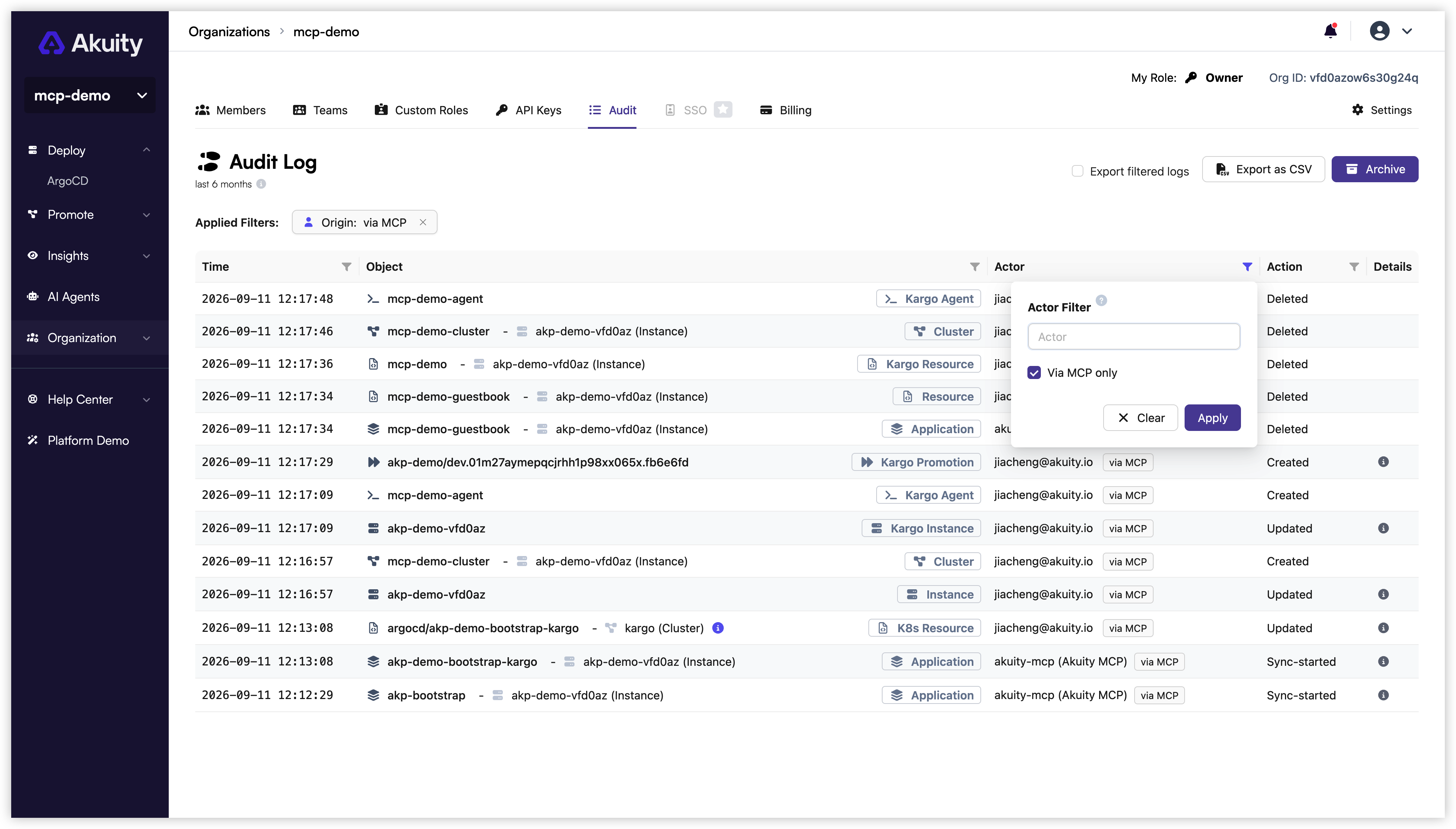
The same filter is available in the Audit Logs tab inside the Argo CD and Kargo UI. The CSV export includes an ActorOrigin column. Retention and archives follow the standard Audit Logs behavior.