Support Access
Support Access allows Akuity support engineers to access the argocd-application-controller pod in managed clusters when troubleshooting is required. This feature provides temporary, time-limited access that can be enabled and disabled as needed.
Enabling Support Access
To enable support access for a managed cluster:
-
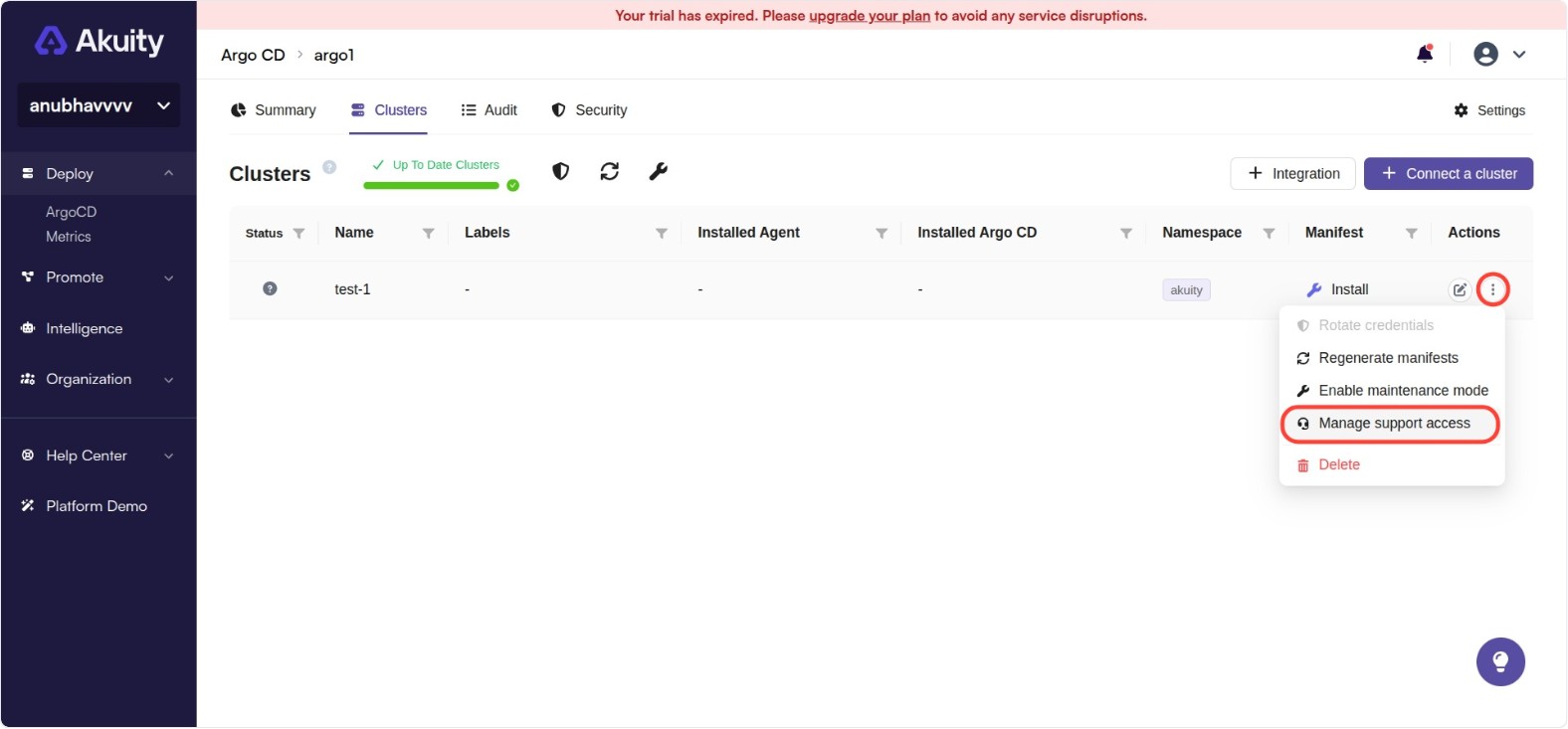
Navigate to your Argo CD instance → Clusters tab.
-
Find the cluster you want to enable access for.
-
Under the Actions tab, click on the three-dot button.
-
Locate the Manage Support Access section.
-
Toggle the Enabled switch to enable access.
-
Set the Duration field to specify how many minutes the access should remain active.
-
Click Save to apply the changes.
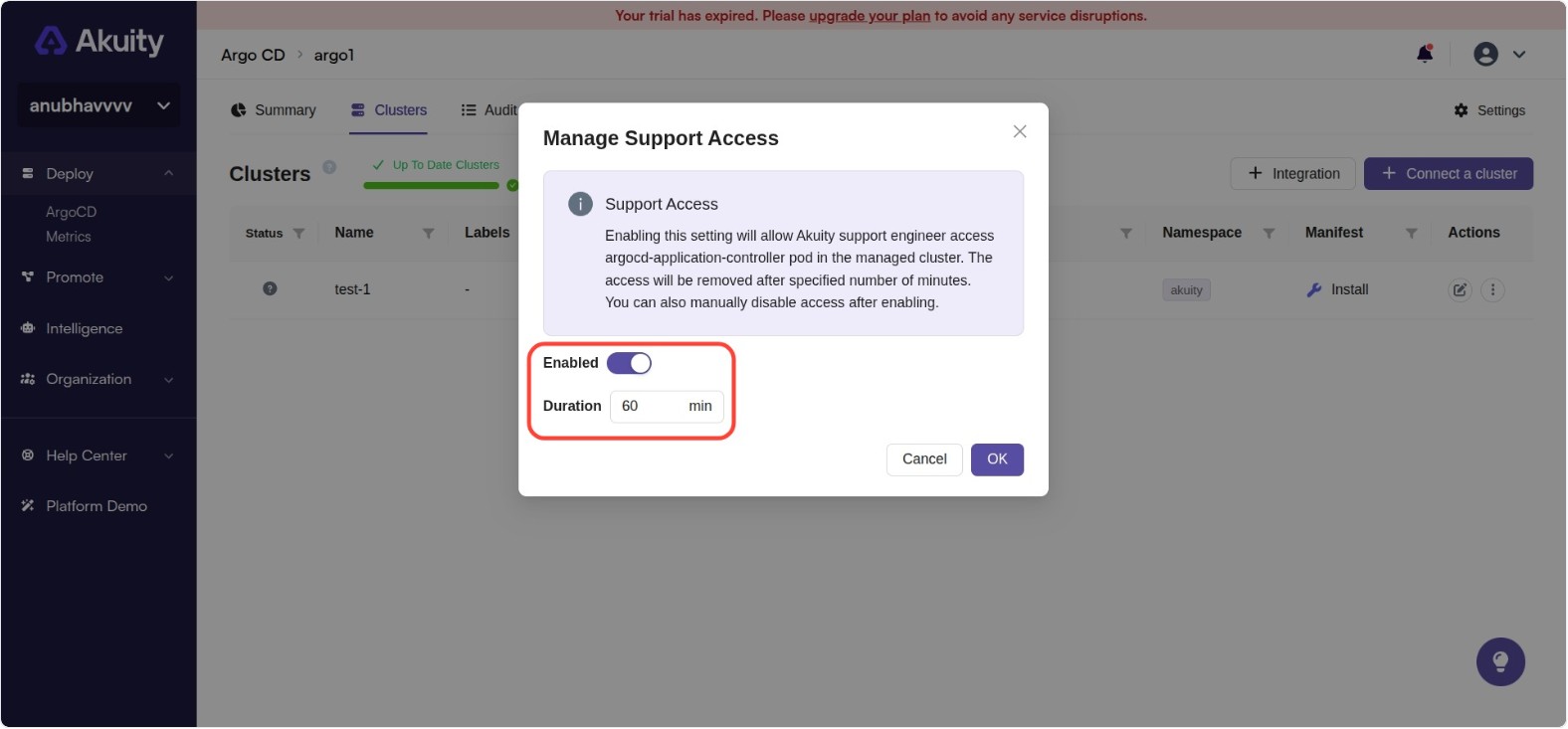
Once enabled, Akuity support engineers will have access to the argocd-application-controller pod in the specified cluster for the configured duration.
Disabling Support Access
Support access can be disabled in the following ways:
Automatic Expiration
Access will be automatically removed after the specified number of minutes elapses.
Manual Disabling
To manually disable support access before the timer expires:
- Navigate to the cluster details as described above.
- Toggle the Enabled switch to disable access.
- Click Ok to apply the changes.
Security Considerations
- Support access is temporary and automatically expires after the specified duration.
- Access is limited to the
argocd-application-controllerpod only. - You can monitor and control when support access is active.
- Access can be revoked immediately at any time by disabling the feature.