Admission Policies
Admission policies let you enforce your own rules on the Argo CD objects of an instance. For example, you can require every Application to use automated sync with self-heal, or forbid Applications in the default project.
A policy is a Kubernetes ValidatingAdmissionPolicy. Each rule is a CEL expression that must be true for a change to be allowed. The Akuity Platform installs your policies into the instance control plane, where Argo CD stores its Applications. The policies then check every create, update or delete of a matching object, no matter where it comes from: the Argo CD UI or CLI, declarative management, Terraform, or Argo CD itself.
The settings can be located by navigating to Argo CD → your instance → Settings → Admission Policies.
What a policy can match
Policies may only match these resources, in the argoproj.io API group:
-
applications -
applicationsets
The other rules:
-
Operations must be
CREATE,UPDATEorDELETE. Wildcards (*) and subresources are not allowed in the matched resources. -
paramKindandparamRefare not supported. -
A policy needs at least one binding. A binding activates the policy and sets what happens when a validation fails, with
validationActions. UseDeny(see the note at the end of this page). -
An instance can have up to 50 policies. One policy with its bindings can be up to 64 KiB, and all policies together up to 512 KiB.
The policy is checked when you save it, including compiling every CEL expression, so a typo or an unsupported field is rejected with an error before anything reaches the instance. A saved policy takes effect once the instance finishes reconciling, usually within a minute.
Example
This policy requires every Application to use automated sync with self-heal:
apiVersion: admissionregistration.k8s.io/v1
kind: ValidatingAdmissionPolicy
metadata:
  name: require-autosync-selfheal
spec:
  failurePolicy: Fail
  matchConstraints:
    resourceRules:
      - apiGroups: ["argoproj.io"]
        apiVersions: ["v1alpha1"]
        operations: ["CREATE", "UPDATE"]
        resources: ["applications"]
  matchConditions:
    # Only check spec changes, so Argo CD's own status updates are never blocked.
    # object is null on DELETE and oldObject on CREATE, so check both first.
    - name: spec-changed
      expression: "object == null || oldObject == null || object.spec != oldObject.spec"
  validations:
    - expression: >-
        has(object.spec.syncPolicy) && has(object.spec.syncPolicy.automated)
          && (!has(object.spec.syncPolicy.automated.enabled) || object.spec.syncPolicy.automated.enabled)
          && has(object.spec.syncPolicy.automated.selfHeal) && object.spec.syncPolicy.automated.selfHeal
      message: all Applications must use automated sync with selfHeal enabled
---
apiVersion: admissionregistration.k8s.io/v1
kind: ValidatingAdmissionPolicyBinding
metadata:
  name: require-autosync-selfheal
spec:
  policyName: require-autosync-selfheal
  validationActions: ["Deny"]
When someone creates an Application without automated sync and self-heal, or changes one to turn either off, the change is refused with the policy's message.
Manage policies
- Dashboard
- Akuity CLI
- Terraform
-
Go to Settings → Admission Policies.
-
Click Add Admission Policy.
-
Enter a Name.
-
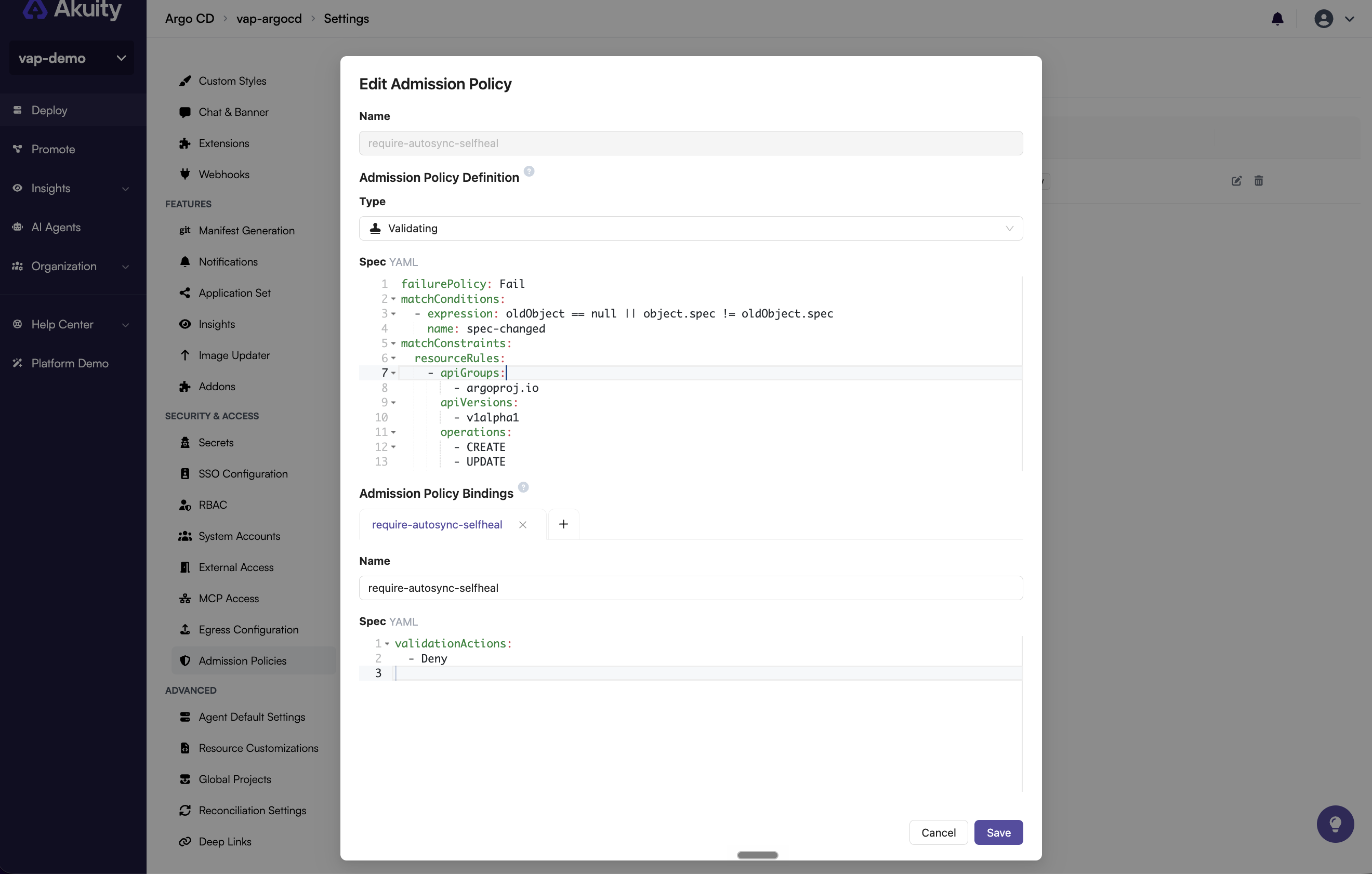
Under Admission Policy Definition, leave Type set to Validating, the only type today, and enter the Spec in YAML. The spec is the
specof a ValidatingAdmissionPolicy, as in the example above. -
Under Admission Policy Bindings, click + to add a binding, and enter its Name and Spec, for example
validationActions: ["Deny"]. A policy needs at least one binding. You do not need to setpolicyName; it is set to this policy. -
Click Add.
The list shows every policy with its bindings and validation actions:
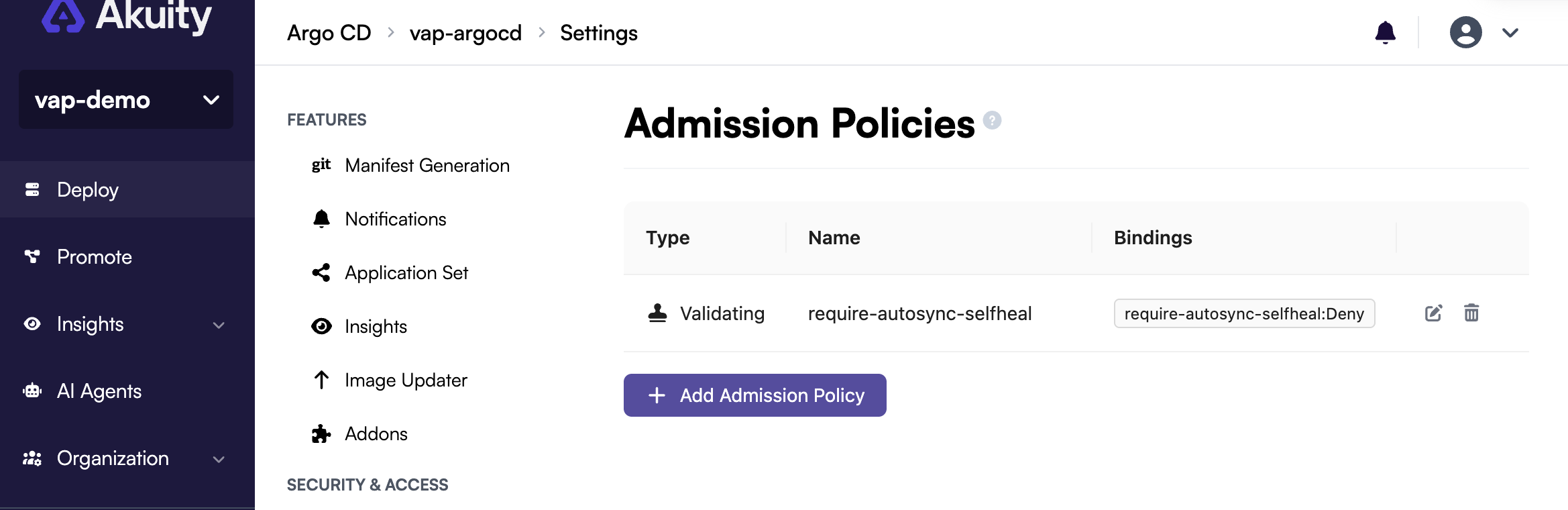
Use the edit and delete buttons next to a policy to change or remove it. Editing opens the same form, with Save instead of Add. Deleting a policy also deletes its bindings.
Admission policies are part of declarative management. Put the ValidatingAdmissionPolicy and ValidatingAdmissionPolicyBinding manifests, like the example above, next to your other instance manifests and apply them:
akuity argocd apply -f argocd/demo/
-
Policies are merged by name with the policies already on the instance. A policy that is applied again is replaced together with its bindings, so always apply a policy and its bindings together, for example from the same file.
-
To make your files the complete set of policies and remove any policy they don't contain, add
--prune admission-policies.--prune alldoes the same. -
akuity argocd exportincludes the policies and bindings as plain manifests.
Add the ValidatingAdmissionPolicy and ValidatingAdmissionPolicyBinding manifests to argocd_resources of the akp_instance resource, the same way as Applications. See the provider example.
Once argocd_resources contains any policy or binding, Terraform manages all admission policies of the instance. Policies that are not in your configuration, including policies added in the dashboard, are removed on the next apply that changes the instance.
If the instance already has policies, add them to your configuration before you declare the first one in Terraform, or they are deleted. akuity argocd export prints them as manifests you can copy. An apply that does not change the instance leaves the stored policies alone.
Things to watch out for
Policies apply to every change, including the ones Argo CD and the Akuity Platform make. A policy that is too broad can stop Argo CD from working, so keep these in mind:
-
Argo CD updates Applications all the time. Application status (sync and health) is stored in the Application object itself, so each status change is an
UPDATE. A policy that matchesUPDATEwithout a match condition also checks those updates, and blocks them for every Application that does not comply. Sync and health status then stop updating. Use a match condition likespec-changedin the example to check only changes to the spec. -
On
DELETE,objectis null. OnlyoldObjectis set, so an expression that readsobject.specfails, and withfailurePolicy: Failthat refuses every delete. If you addDELETEto a policy, checkobject == nullfirst in the match condition, as in the example, and useoldObjectin the validations. -
Removing finalizers is an
UPDATE. A strictUPDATErule can leave Applications stuck in deletion. -
DELETErules can block deletion of Applications, cascade deletes, and ApplicationSet pruning. The ApplicationSet controller can also be refused when it creates or updates the Applications it generates. That shows up as an ApplicationSet error, not as an obvious policy denial. -
Existing objects are not fixed by a new policy. Every later change to an object that does not comply is refused, including changes by Argo CD.
-
With
failurePolicy: Fail, an expression error refuses the change. For example, reading a field that is not set fails the expression. Check optional fields withhas()first, as in the example. -
Your own tools are checked too. Declarative apply, Terraform and edits in the Argo CD UI can start failing after you add a policy.
-
An instance on an unsupported Argo CD version can't change its policies until it is upgraded.
To roll out a new policy safely, try it on a non-production instance first, and start narrow: match only CREATE, or only objects with a label, using objectSelector in the binding's matchResources. Widen it once you are sure it only refuses what you expect.
Warn and Audit are accepted, but only Deny has a visible effect. Warnings go to clients that call the instance control plane directly, and audit annotations go to the control plane's audit log, which are not exposed to you.