Deployment Advisor
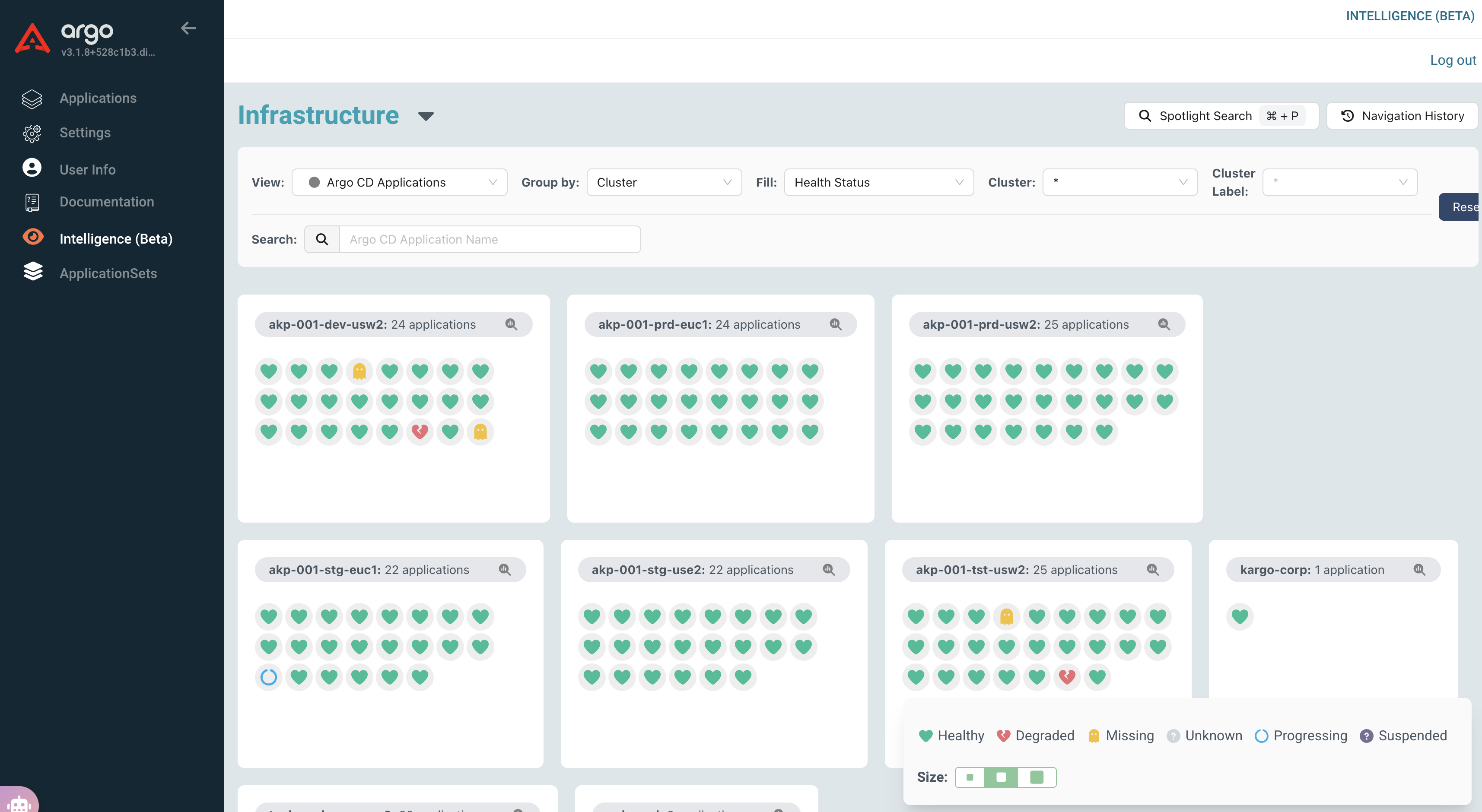
Users can initiate free-flow conversations with the Deployment Advisor to triage issues by selecting a Kargo project, Argo CD applications, or Kubernetes namespaces as contexts. This allows for direct interaction with the Deployment Advisor to troubleshoot and gain insights into specific resources.
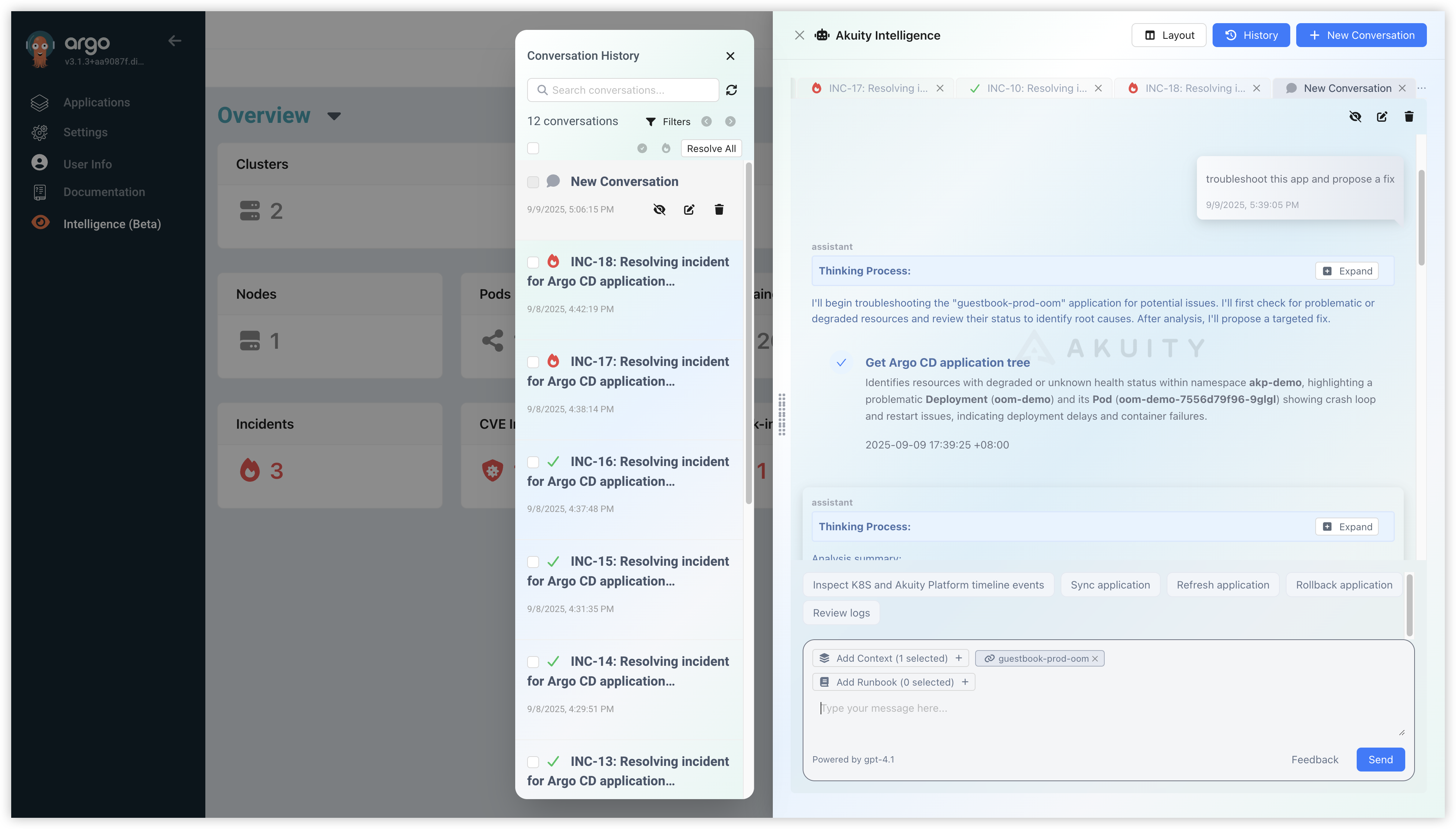
The Deployment Advisor will attempt to answer user questions by calling necessary functions such as getting the application tree, retrieving logs, or searching up-to-date documentation, etc.
Tasks
Akuity Agent can perform periodic, automated tasks on behalf of DevOps engineers. Tasks are the first‑class way to define, run, and track those automations inside the platform.
Overview
A Task represents a recurring automation executed by the Akuity Agent. It allows you to define a job description in natural language and set a schedule for it to run.
Key features:
- Natural Language Schedule: Define schedules using plain English (e.g., "daily at 2am", "every Monday at 9am") or standard cron expressions like "0 2 * * *".
- Automated Execution: The agent automatically runs the task at the specified times.
- History & Reporting: Every execution is recorded, providing a clear history of what was checked and any actions taken.
Create a Task
You can create a Task directly from the Akuity Platform UI.
- Navigate to the Intelligence section.
- Select Tasks.
- Click Create.
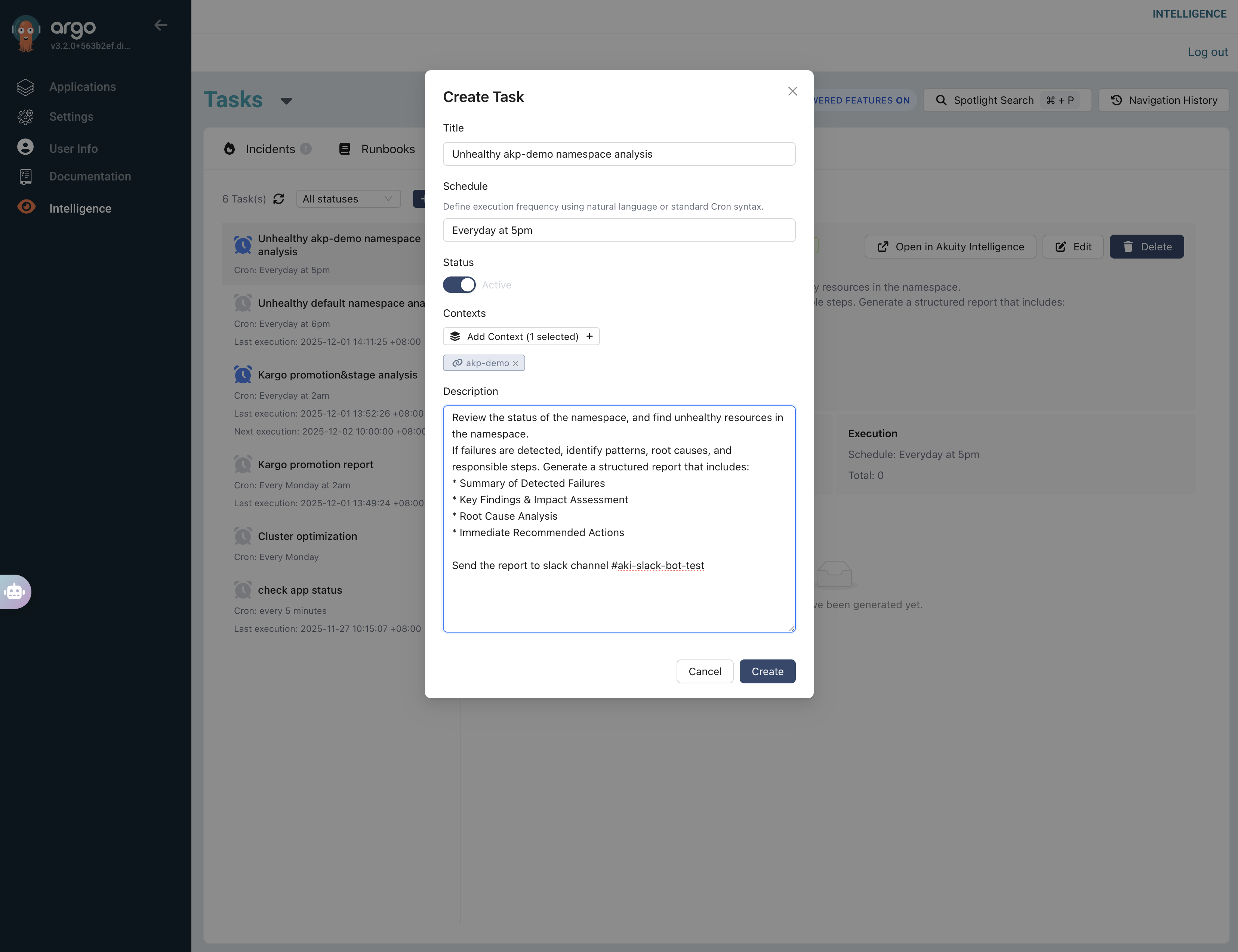
- Enter the required fields:
- Title: The name of the task.
- Schedule: Define the schedule using natural language or cron expressions.
- Status: Set the status to Active or Suspended.
- Contexts: Select the contexts that the task will focus on.
- Description: Provide the task description.
Note: Being specific in your task description helps the agent perform the task more accurately.
Manage Tasks
Once created, you can view and manage all your tasks from the Tasks page.
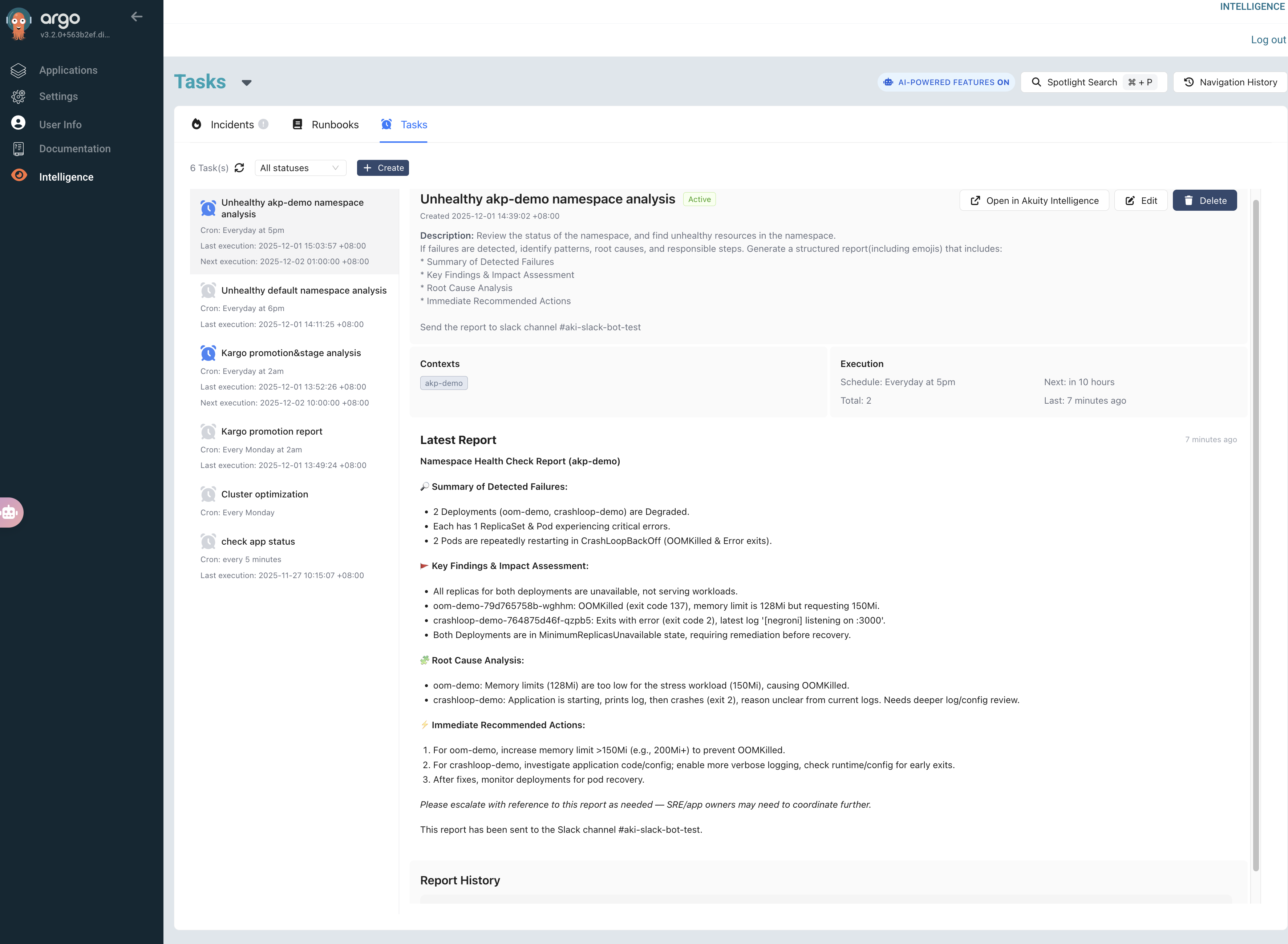
- Execution: See the schedule, last execution time, next execution time, and total runs.
- Latest Report: View a summary of the most recent execution.
- History: Click on a timestamp to view its detailed reports from previous runs.
You can edit or delete existing tasks as needed. Also, you can open the task in the normal conversation to see more details.
If Slack integration is configured, you will also receive task execution reports directly in your Slack channel.
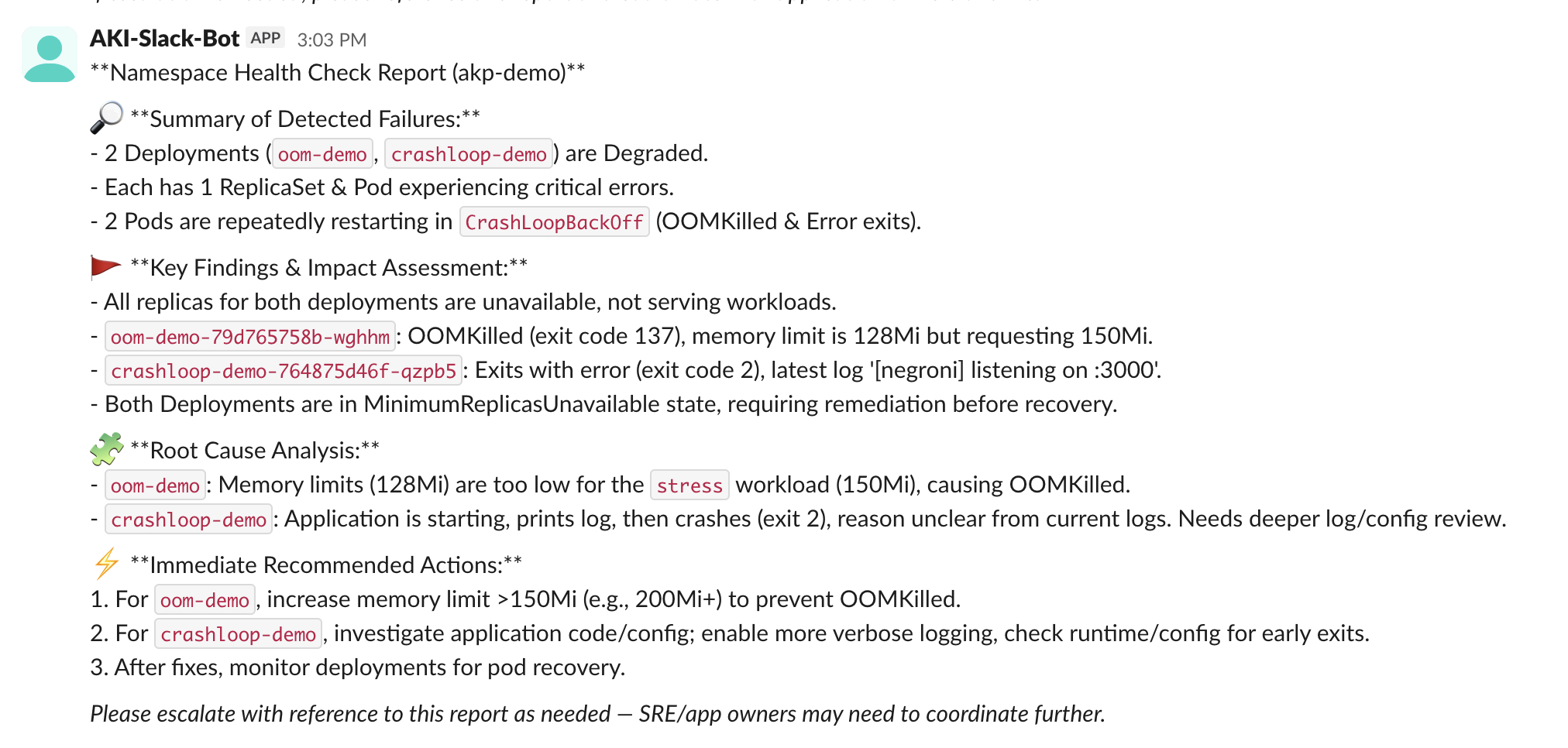
Example Tasks
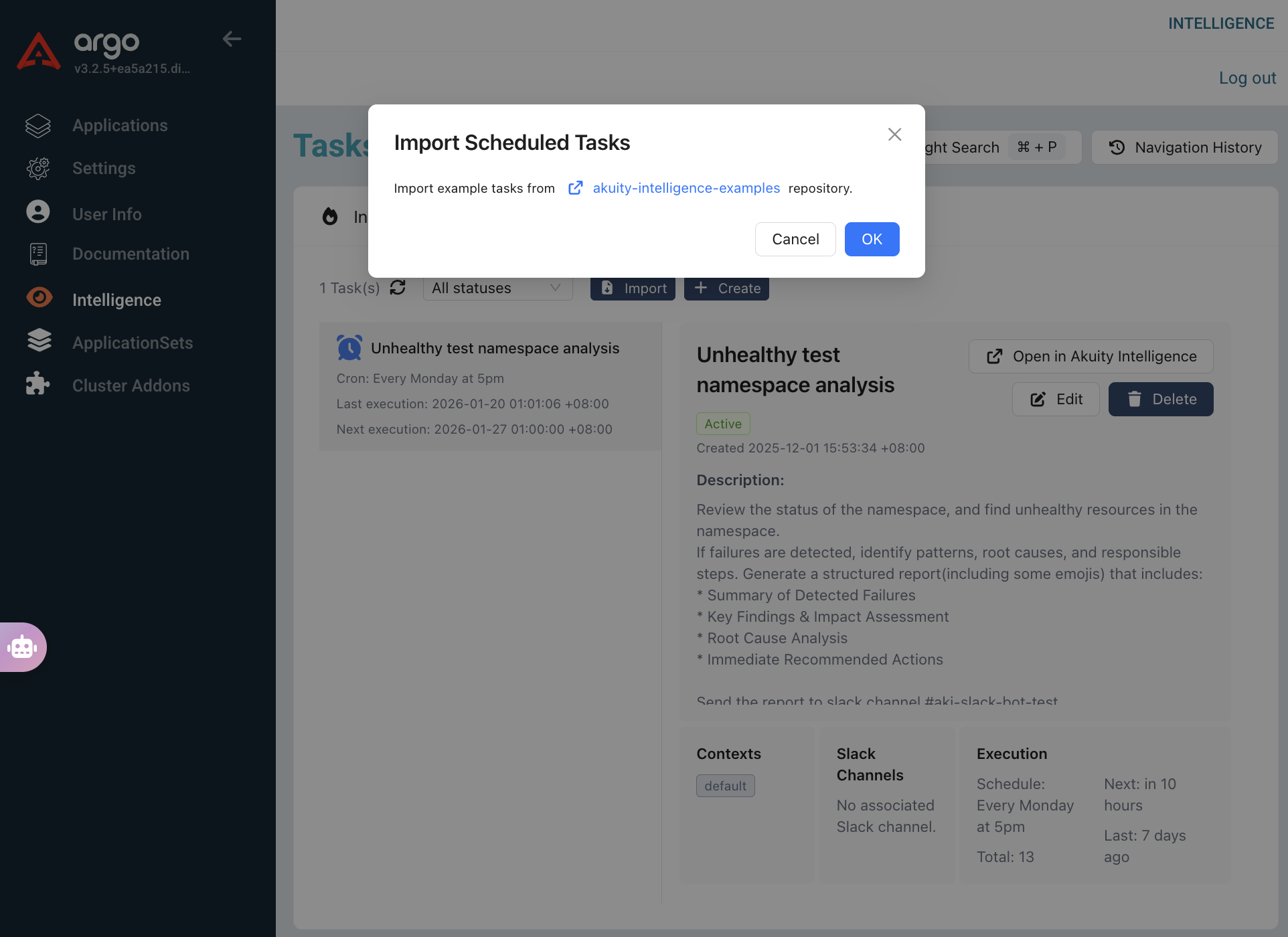
We have established some example tasks in this GitHub repository. You may directly import them into your own instance via the Import button.
Note: After importing, the task will not start by default. You need to set the status to Active and add the corresponding Contexts.
Slack Integration
You can pipe Deployment Advisor updates into Slack by sharing the same Slack integration setup used by the On-Call Agent. Follow the configuration steps in Slack Integration to connect Argo CD notifications with Slack before sharing conversations from the Deployment Advisor. Additionally, task executions can also send messages to Slack.