Configure MCP access
After Akuity enables Early Access, authorized users decide how much of the organization is available to agents. The platform endpoint and instance access are separate controls, so an organization can expose only the scope needed for its use cases.
Configure the platform endpoint
The platform endpoint is the entry point for organization-wide workflows and exposes platform-level tools immediately. Instance access is a separate control for Argo CD and Kargo tools; it does not require another MCP client connection.
The endpoint URL follows the region that hosts your organization: https://akuity.cloud/mcp for US organizations and https://eu.akuity.cloud/mcp for EU organizations. The portal always shows the URL for your organization. The examples in this guide use the US URL.
- In the Akuity Portal, select your organization.
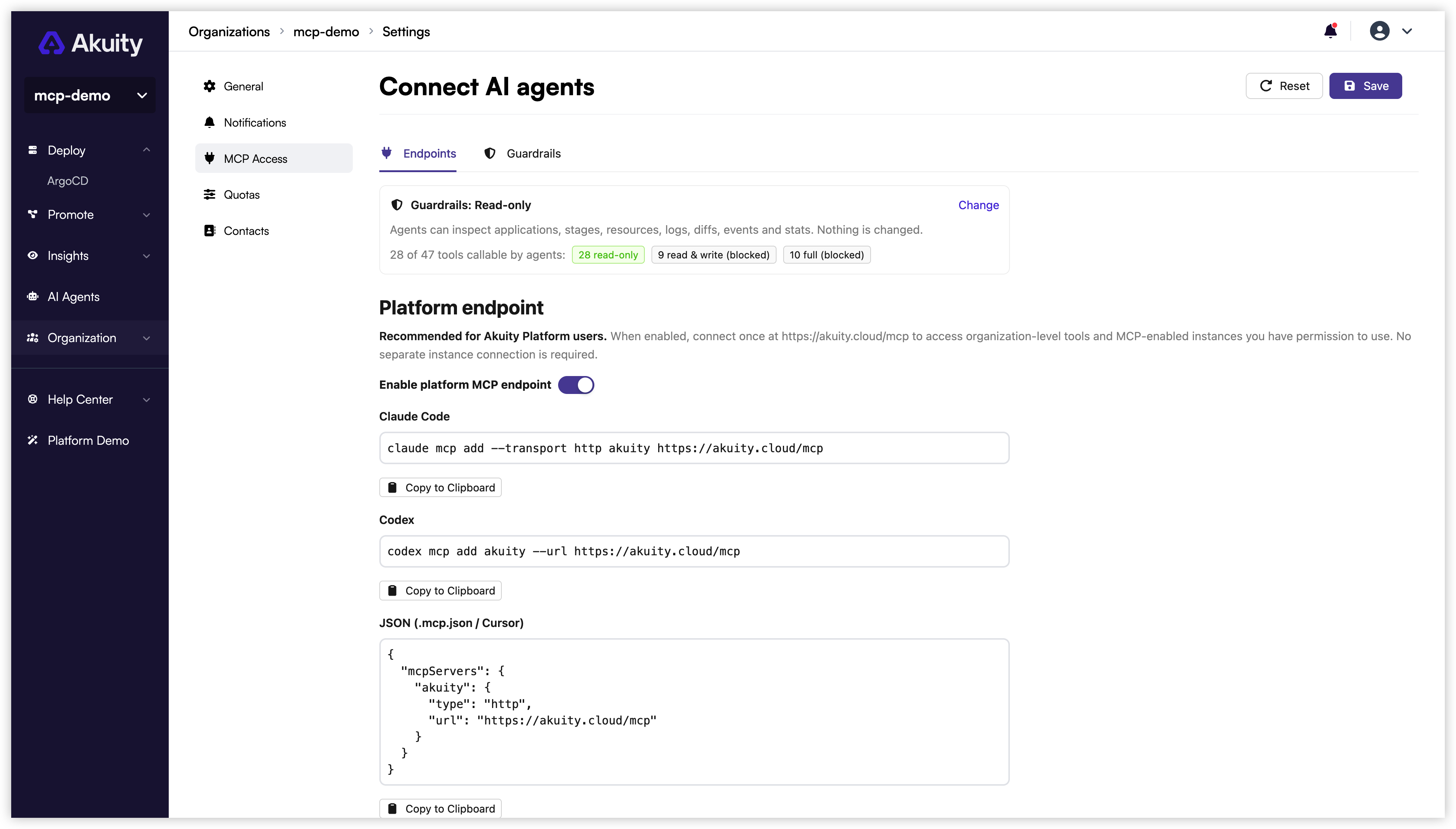
- Go to Organization Settings → MCP Access → Endpoints.
- Under Platform endpoint, turn on Enable platform MCP endpoint.
- Click Save. Changes on this page are staged until you save. The summary card shows Unsaved while a draft is pending.
- Copy the endpoint URL or one of the connection snippets shown under the toggle.
Authentication and organization context
- Interactive clients authenticate with Akuity Cloud OAuth, including organization SSO. Any standard native-app callback is accepted: a loopback address on any port, a private-use scheme, or a hosted HTTPS callback. For callbacks other than loopback, Akuity shows a consent page naming the redirect destination before sign-in continues.
- Automation can use an Akuity API key as a bearer token. The key identifies its organization and remains limited by its permissions.
- On the platform endpoint, the agent can call
list_organizationswithout an organization ID to list the organizations you belong to in the connected Akuity region and resolve a name to its ID. Other organization-level tools (instances, clusters, agents, fleet insight, audit, AI Agents) use that ID asorganization_id. Organizations in another region appear only through that region's platform endpoint. Instance-scoped tools only need the instance ID and resolve the organization from it.
Enable instance access
Instance access controls which Argo CD and Kargo instances agents may reach through the platform endpoint. Enabling the platform endpoint alone does not expose any instance. Enabling access for an instance requires update permission on that instance.
- On the Endpoints tab, scroll to Instance access.
- Turn on MCP access for each Argo CD and Kargo instance that agents may reach, or use Enable all and Disable all.
- Click Save.
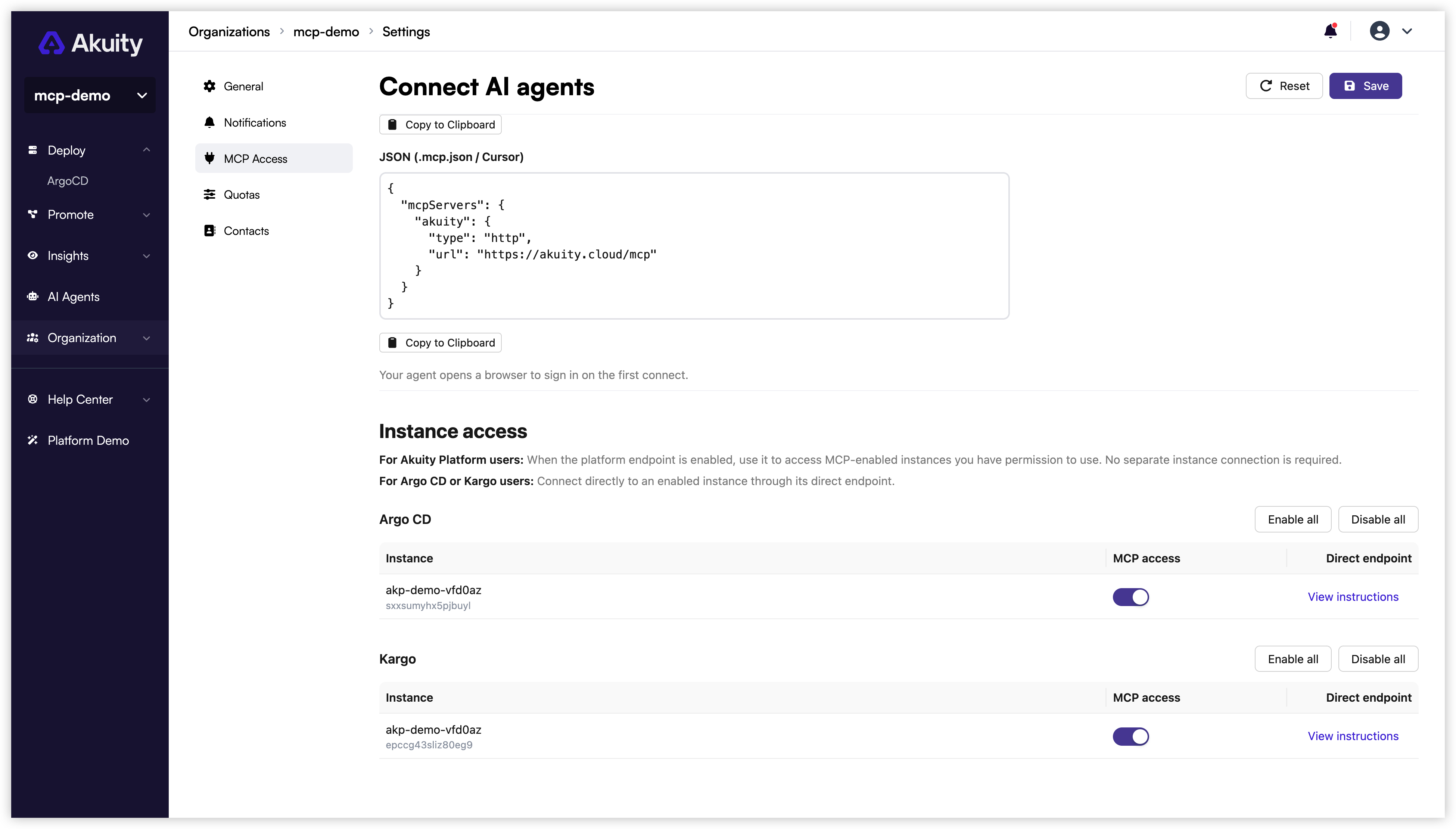
Each enabled instance becomes available through the platform connection. The same toggle also serves the instance's own direct endpoint, and the View instructions link in the Direct endpoint column opens that instance's MCP Access page.
Connect to the platform endpoint to work with organization resources and every MCP-enabled Argo CD or Kargo instance you have permission to access. You do not need to connect to each instance's direct endpoint.
A direct instance endpoint is an alternative access path for users who use instance-native identity and RBAC instead of Akuity Platform organization access. See Direct endpoints for instance-only users.
Set the guardrail level
The Guardrails tab sets the organization's guardrail level, which limits which MCP tools clients can call through the platform endpoint and direct instance endpoints. The default is Read-only. See Set the guardrail level in Governance Controls for the levels and how to change them.
Direct endpoints for instance-only users
A direct endpoint limits the connection to one Argo CD or Kargo instance and uses that instance's native authentication and RBAC. It is intended for users who access the instance without Akuity Platform organization access. Akuity Platform users do not need this additional connection.
Enabling a direct endpoint requires update permission on that instance, and the organization's guardrail level applies to it as well. You can turn it on from Organization Settings → MCP Access → Instance access, or from the instance's own settings. If the instance signs users in through direct OIDC, an extra redirect URI must also be registered with your identity provider before agents can sign in. The instance pages show the exact URI, the OAuth client to register it on, and the connection snippets: