Argo CD Metrics
View Argo CD deployment history, including sync counts, durations, and details for individual syncs. In the Insights extensions, this dashboard is named Deployment History.
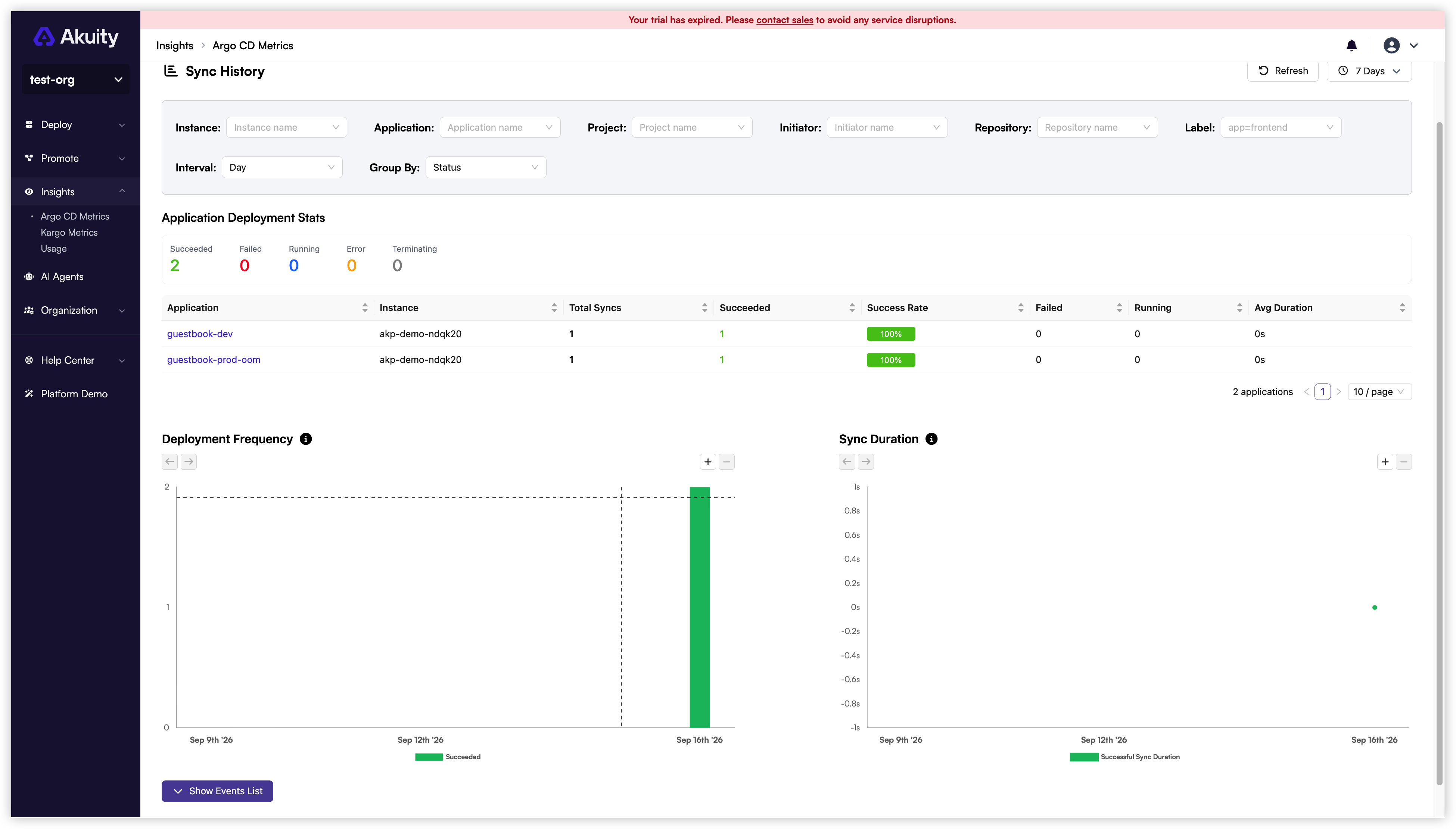
Accessing Argo CD metrics
| Location | Scope |
|---|---|
| Akuity Portal → Insights → Argo CD Metrics | Deployment history across Argo CD instances in the organization |
| Argo CD UI → Insights → Deployment History | Deployment history for the current Argo CD instance |
| Kargo UI → Insights → Deployment History | Argo CD deployment history, with an instance filter |
The organization-wide view in the Akuity Portal requires permission to get all Argo CD instances in the organization. To access Deployment History in Argo CD or Kargo, install the Insights extension and configure its allowed users and groups.
Deployment History in Kargo shows Argo CD sync events. For Kargo promotion metrics and events, see Kargo Metrics.
For the application-level Sync History extension and the instance Summary view in the Akuity Portal, see Sync History.
Filters
Filter events by Instance Name, Application Name, Project Name, Initiator, Repository, and Label. Choose a quick time range or set a custom range.
The Argo CD Insights extension is scoped to the current instance, so it does not include an instance filter.
Group By and Interval
Group sync events by Status, Application, Instance, Project, or Initiator. Set the chart interval to Hour, Day, Week, Month, or Year.
Grouping by instance is not available in the Argo CD Insights extension.
Reports
Combine filters and grouping to create a report. Share the current view by copying the browser URL or using the copy button in the filter section.
Events Table
The events table uses the same filters as the charts. Each event includes the application name, project, repository, labels, start and end times, initiator, status, and message.