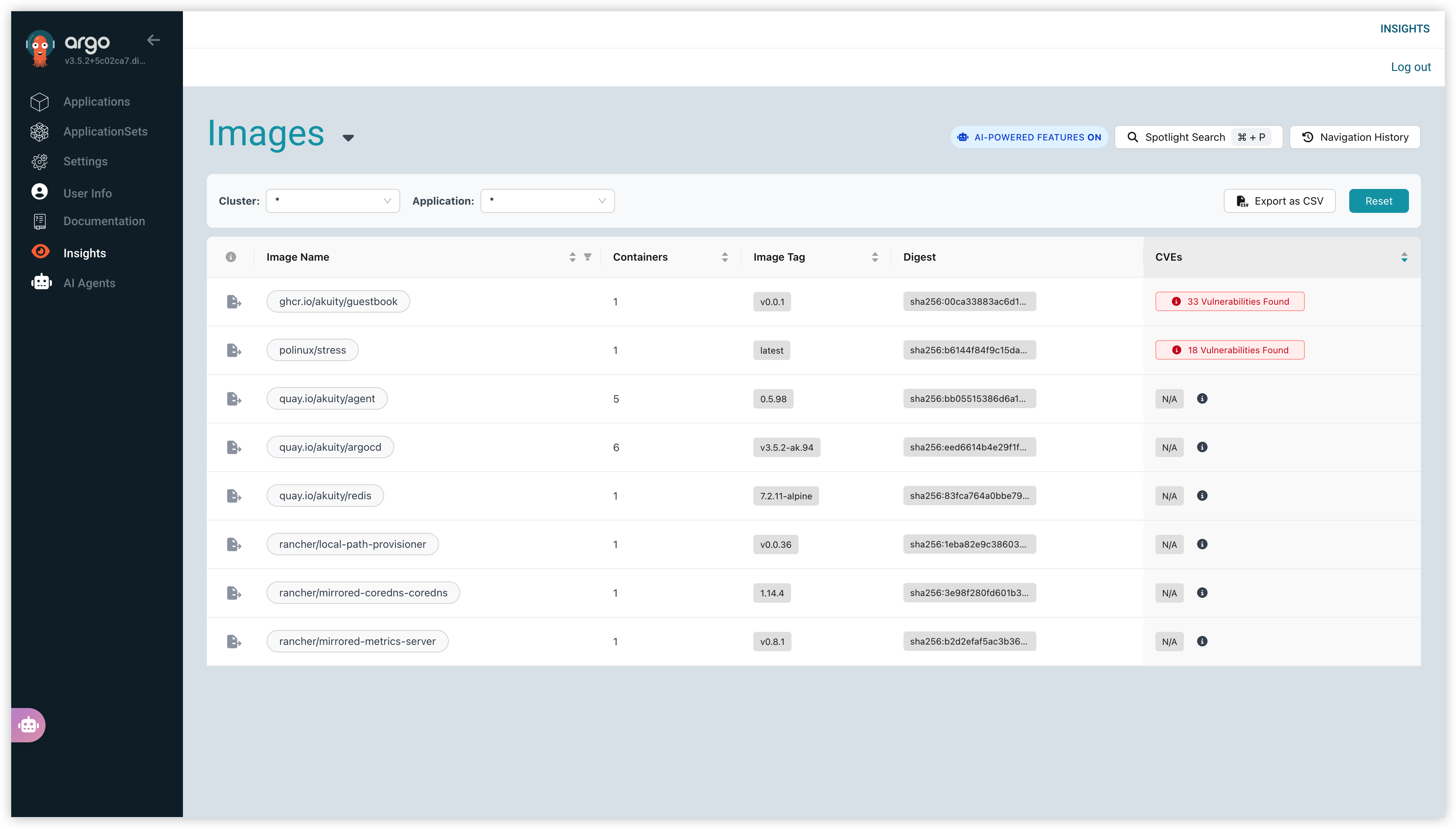
Images Dashboard
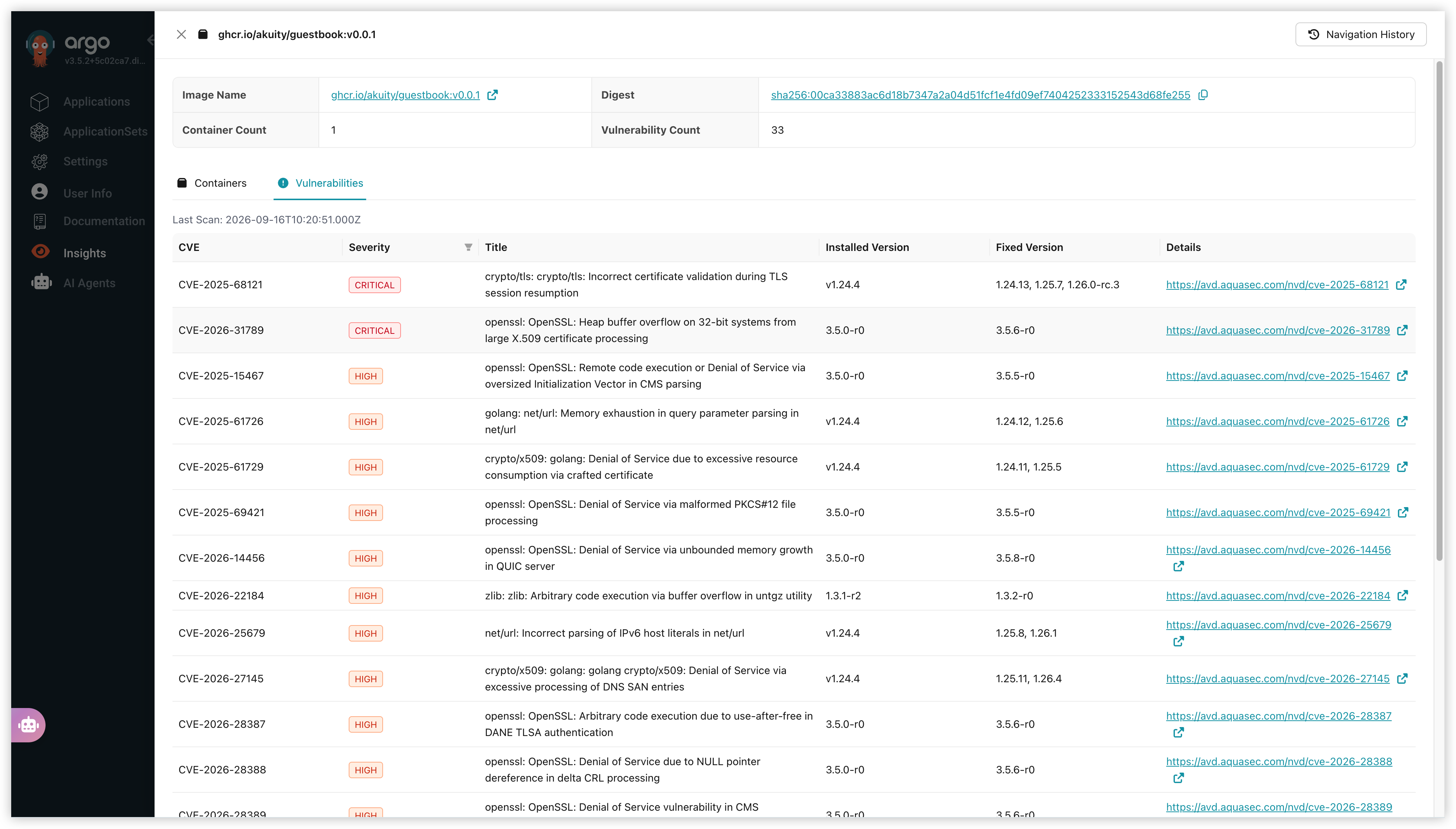
The Images Dashboard provides a detailed view of container images across your connected Kubernetes clusters. It offers insights into image usage, vulnerabilities, and other critical information, helping you manage and secure your container images effectively. You can also explore individual images for more in-depth analysis and identify potential security risks or optimization opportunities.
CVE Scanning
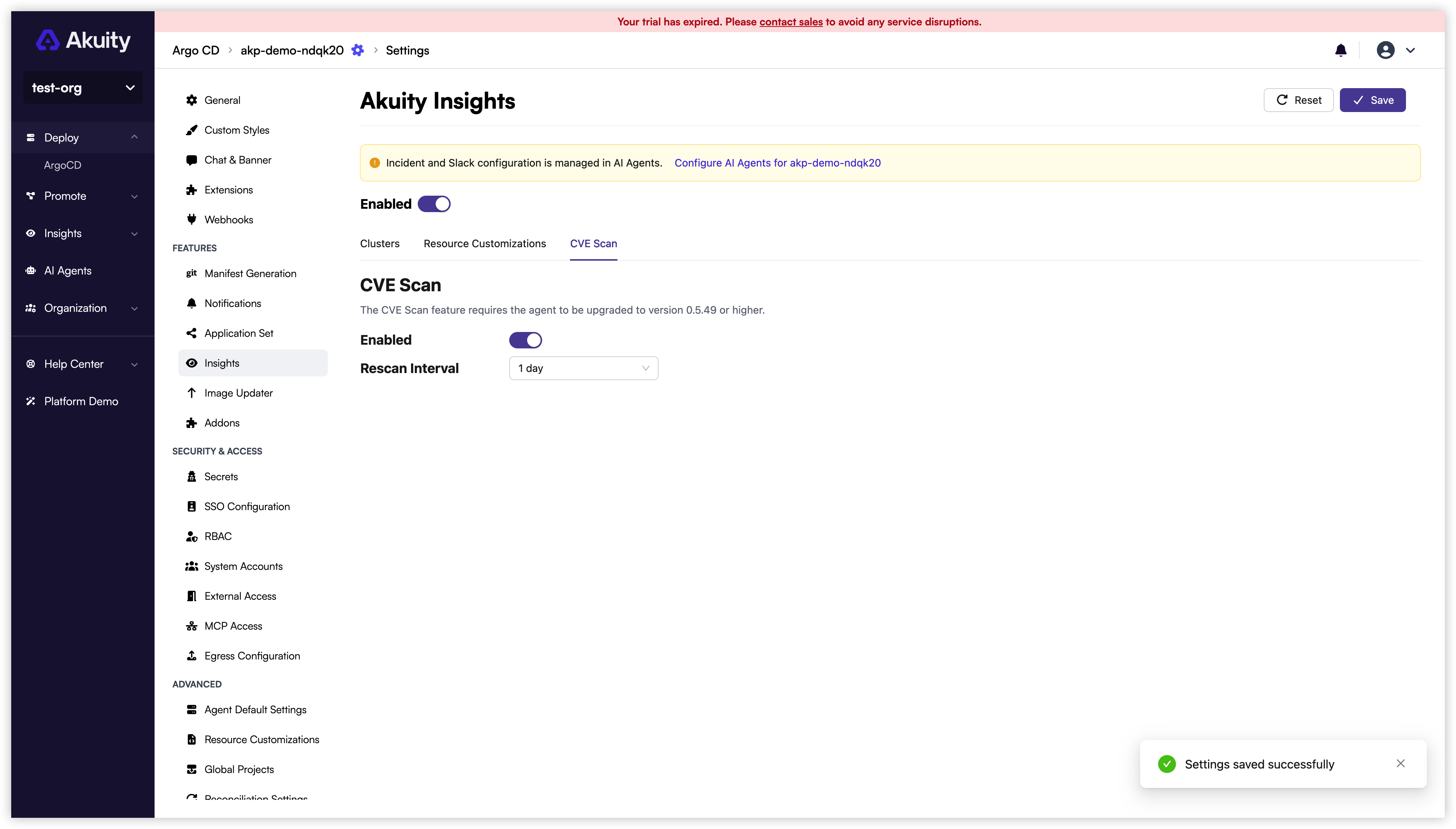
CVE scanning in Insights is optional and it is disabled by default. To enable CVE scanning, open the Argo CD instance in the Akuity Portal and navigate to Settings → Insights → CVE Scan. Toggle Enabled, choose a Rescan Interval, and click Save. Confirm the update to apply the scanning settings.
Once CVE scanning is enabled, you can view the results on the Images dashboard. This dashboard provides a detailed view of container images across your connected Kubernetes clusters, including identified vulnerabilities. You can explore individual images for more in-depth analysis of security risks.
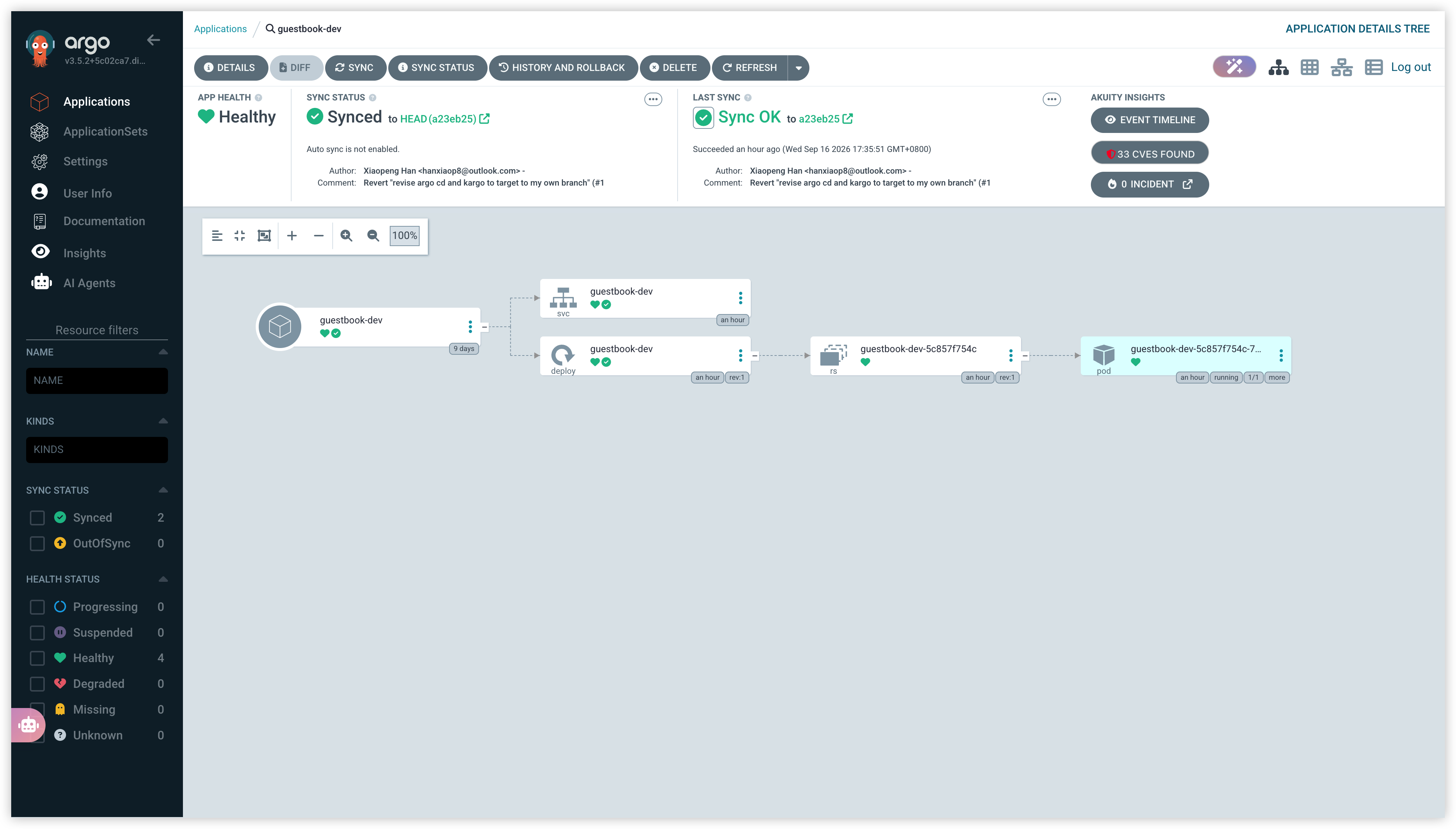
CVE Found in Application Detail
You can also access CVE scanning results directly from the Application Detail page. When CVE scanning is enabled, the Application Detail page displays a CVEs Found button, showing the total number of CVEs detected across all images in the application. Clicking this button navigates you to the Images Dashboard, filtered by the selected application, for a detailed view of the vulnerabilities.