Kargo Metrics
Kargo DORA metrics help you understand the performance of your software delivery process. DORA (DevOps Research and Assessment) metrics are a set of key performance indicators that help organizations measure their software delivery capabilities.
Accessing DORA Metrics
| Location | Scope |
|---|---|
| Akuity Portal → Insights → Kargo Metrics | Delivery metrics across Kargo instances |
| Akuity Portal → Kargo instance → Summary | Delivery metrics for the current Kargo instance |
| Kargo UI → Insights → DORA Metrics | Delivery metrics for the current Kargo instance |
Use the instance filter in the organization-wide Portal view to select a Kargo instance. The instance Summary and Kargo Insights extension views are already scoped to the current instance.
To access DORA Metrics in Kargo, install the Insights extension and configure its allowed users and groups. DORA Metrics is not available in the Argo CD Insights extension.
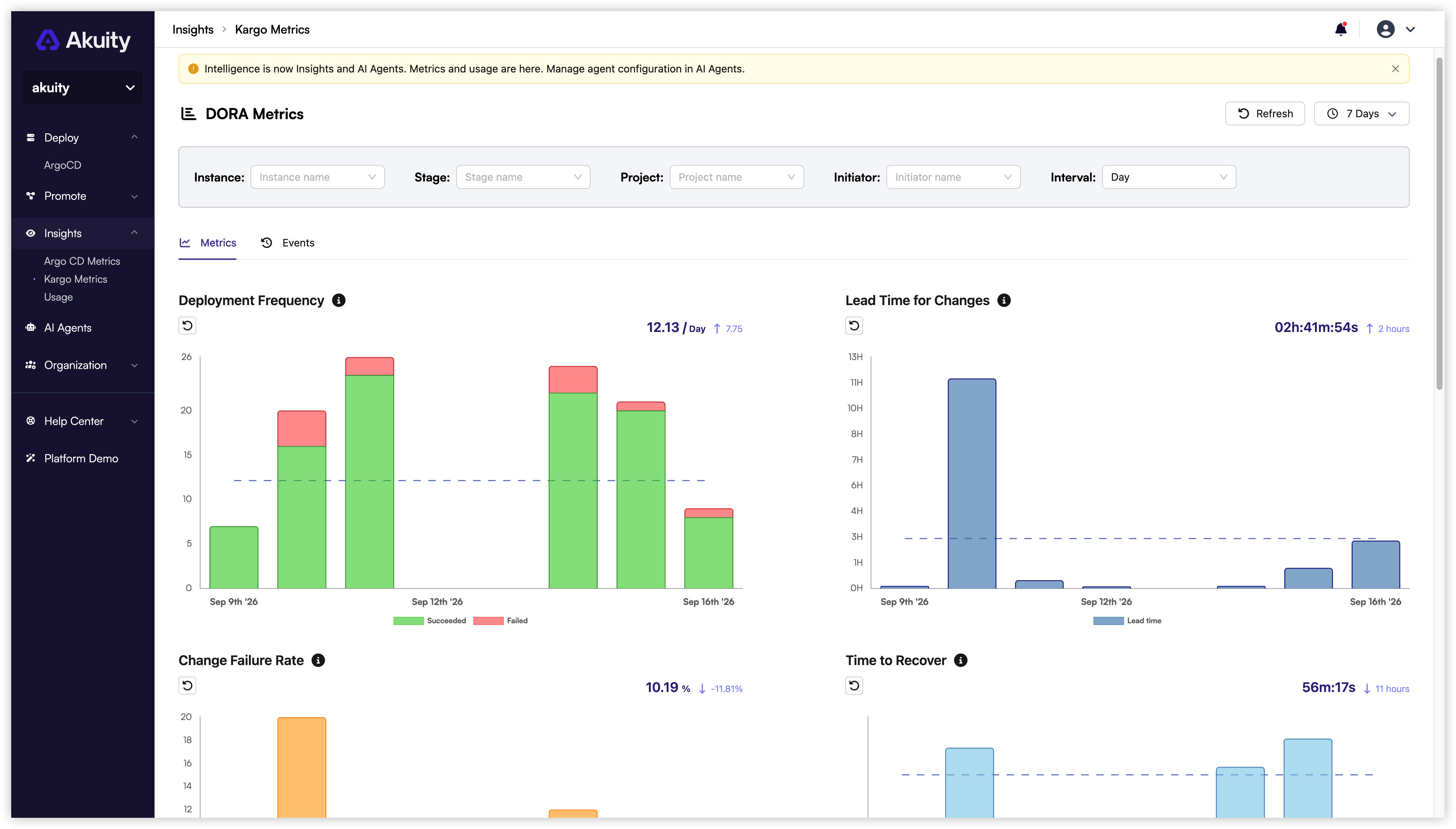
Key DORA Metrics
The DORA Metrics section includes the following key metrics:
- Deployment Frequency: Measures how often an organization successfully releases to selected stage(s) in your environment. Higher deployment frequency indicates a more agile and responsive development process.
- Lead Time for Changes: Measures the amount of time it takes a freightline to get into selected stage(s). Shorter lead times indicate a more efficient development process.
- Change Failure Rate: Measures the percentage of deployments causing a failure in selected stage(s). Lower change failure rates indicate a more stable and reliable deployment process.
- Mean Time to Recovery (MTTR): Measures how long it takes an organization to recover from a failure in selected stage(s). Shorter MTTR indicates a more resilient and responsive incident management process.
Filters
You can filter the DORA Metrics by combining various parameters. The available filters include:
- Stage: Select the stage(s) you want to analyze (e.g., Development, Staging, Production).
- Project: Choose specific projects to focus on.
- Initiator: Filter by the user who initiated the promotion.
- Interval: Select the time range for the metrics (e.g., Day or Week).
By utilizing these filters, you can gain deeper insights into your software delivery performance and identify areas for improvement.
Events
The DORA Metrics section also provides a list of events related to promotions and changes in your selected stage(s). This includes information about successful promotions, failed promotions, and recovery actions taken. Monitoring these events can help you understand the context behind the metrics and identify patterns or trends in your software delivery process.
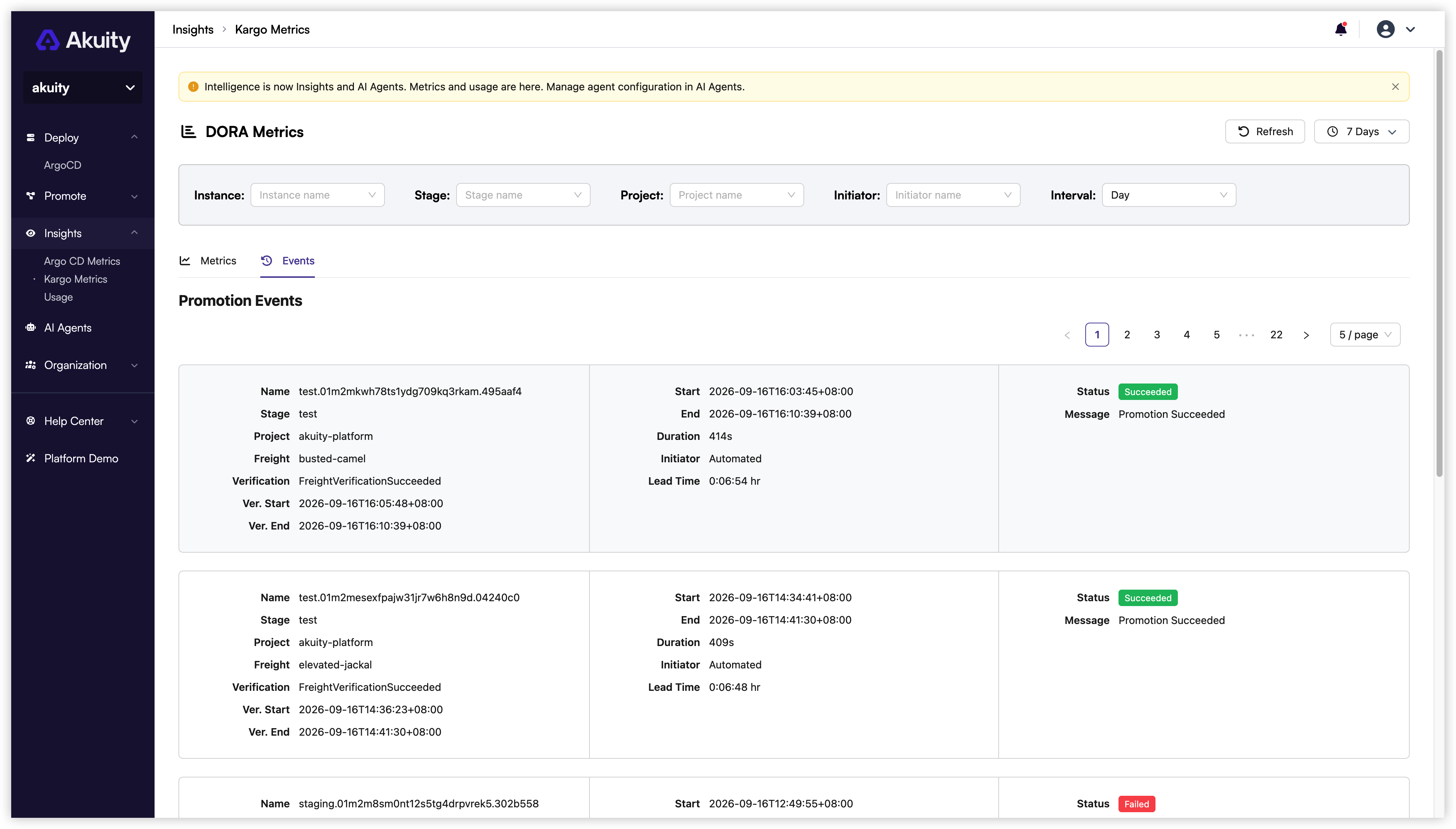
Filters will be applied to the events list as well, allowing you to focus on specific projects, initiators, and time intervals.