Argo CD Web Terminal Restriction
The Argo CD web terminal lets users open a shell in running application pods from the Argo CD UI. It is configured per instance, so anyone who can edit an instance's settings, either in the Akuity Platform or through the API, CLI, Terraform, or declarative management, can turn it on.
The web terminal restriction is an organization-wide setting that turns the web terminal off on every Argo CD instance of the organization. No instance setting can override it.
The permission to update the organization is required to manage this setting. By default, only the owner role has it. Users without it don't see the setting.
Disabling the web terminal
To disable the web terminal on all Argo CD instances of the organization:
-
Click the Organization drop-down on the left navigation menu and click Settings.
-
On the General tab, under Argo CD Web Terminal, turn on the Disable web terminal on all Argo CD instances switch and confirm the action.
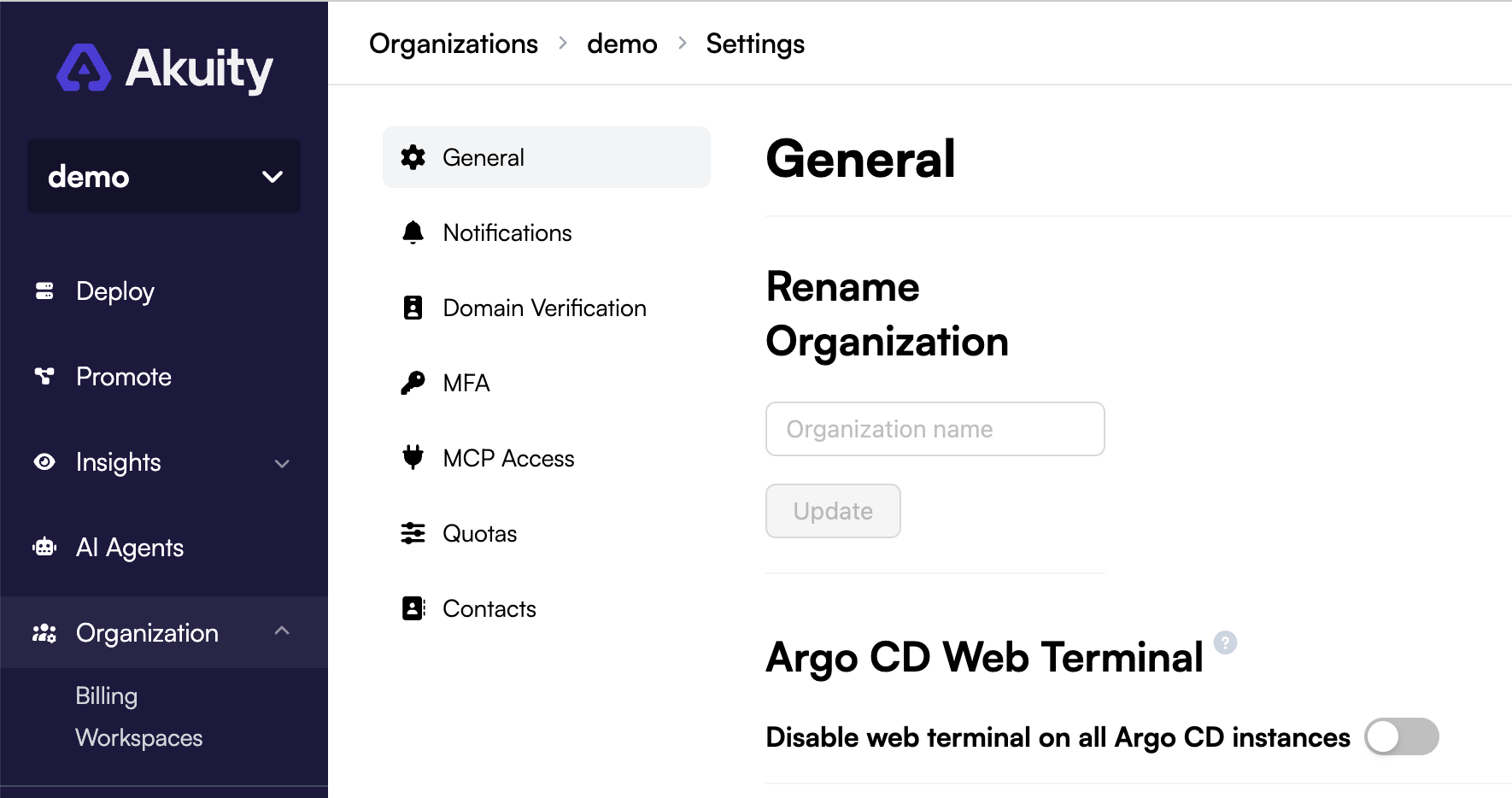
Every Argo CD instance of the organization is reconciled to apply the change. After the reconciliation completes, nobody can open a new terminal session from the Argo CD UI of any instance.
Effect on Argo CD instances
While the restriction is on:
- The web terminal (
exec.enabledinargocd-cm) is forced off on every Argo CD instance of the organization, including instances created later. - The web terminal can't be turned on for any instance where it is off. In the instance settings, the Enabled switch under Web Terminal is locked on those instances.
- API, CLI, Terraform, and declarative requests that turn the web terminal on for such an instance are rejected with the error
argo cd web terminal is disabled by the organization's security settings. The whole request fails, including any other changes in it, so removeexec.enabled: "true"from the manifests and Terraform configuration of those instances. - Each instance's own web terminal setting is kept but not applied. An instance that already had the web terminal enabled still shows it as enabled, with a warning that the organization overrides it, and its other settings can still be saved.
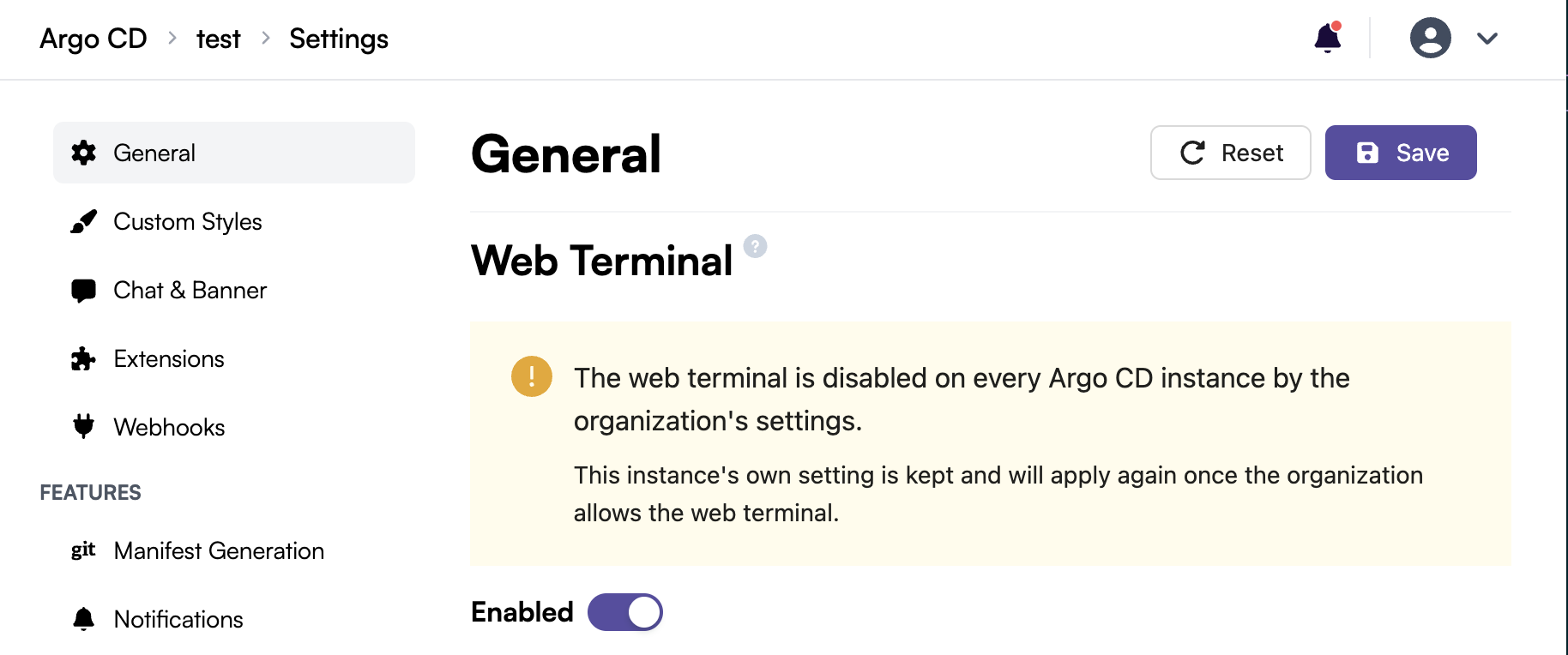
Turning off the web terminal on an instance while the restriction is on replaces that instance's own setting, and you can't turn it back on until the restriction is lifted. As a result, that instance doesn't get the web terminal back when the restriction is lifted.
Allowing the web terminal again
To lift the restriction, turn off the Disable web terminal on all Argo CD instances switch and confirm the action. Every Argo CD instance is reconciled again, and each instance goes back to its own web terminal setting: instances that had it enabled get the web terminal back, and the others keep it off.