Quotas
Quotas in the Akuity Platform help organizations manage and control resource usage effectively. By setting quotas, organizations can ensure that instances do not exceed allocated resources, maintaining optimal performance and cost management.
Quotas can be set for different Argo CD and Kargo instances within the organization. Each Argo CD instance can have a quota for the maximum number of applications allowed, while each Kargo instance can have quotas for different stages.
Managing Quotas
To manage quotas for your organization:
-
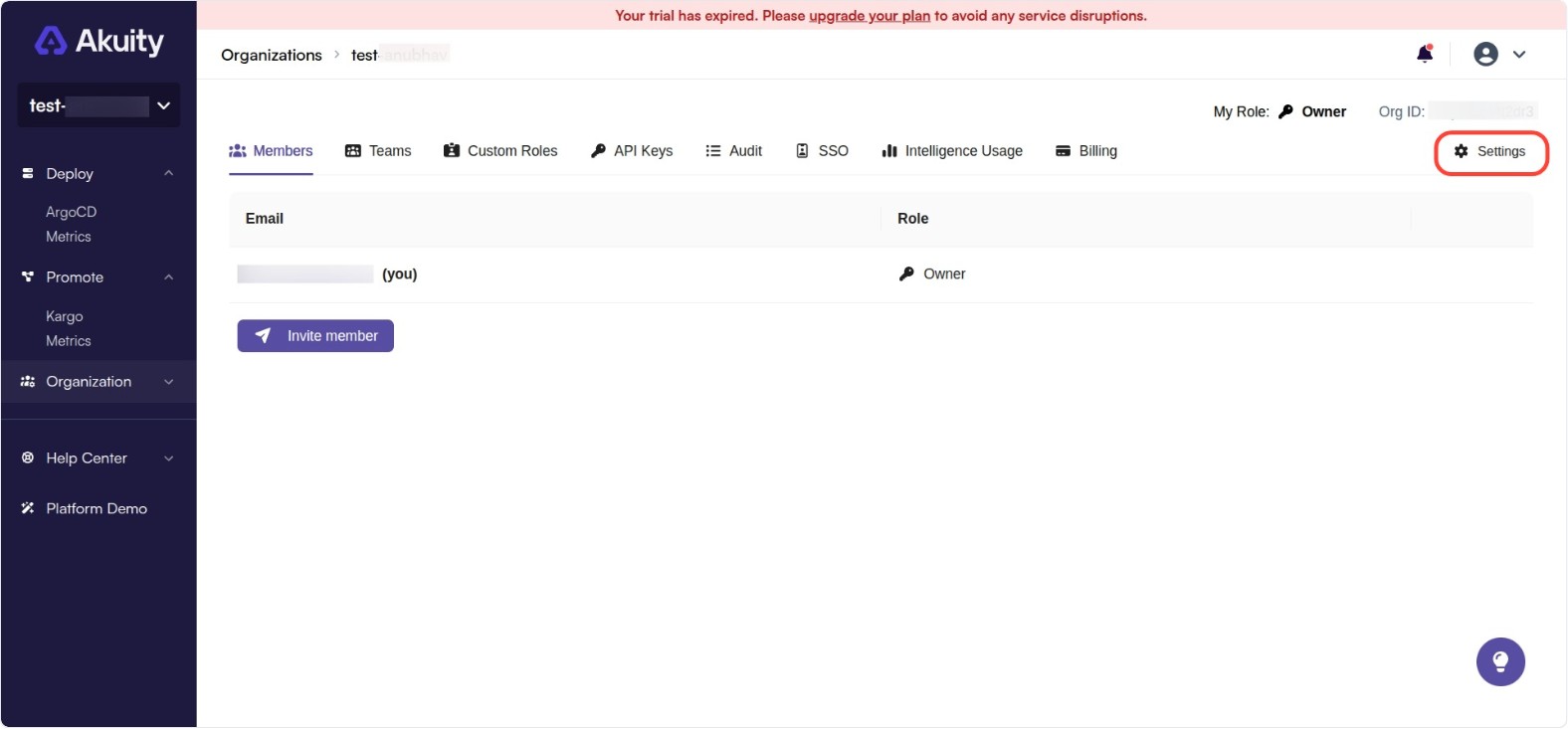
Click the Organization drop-down on the left navigation menu and click Settings.
-
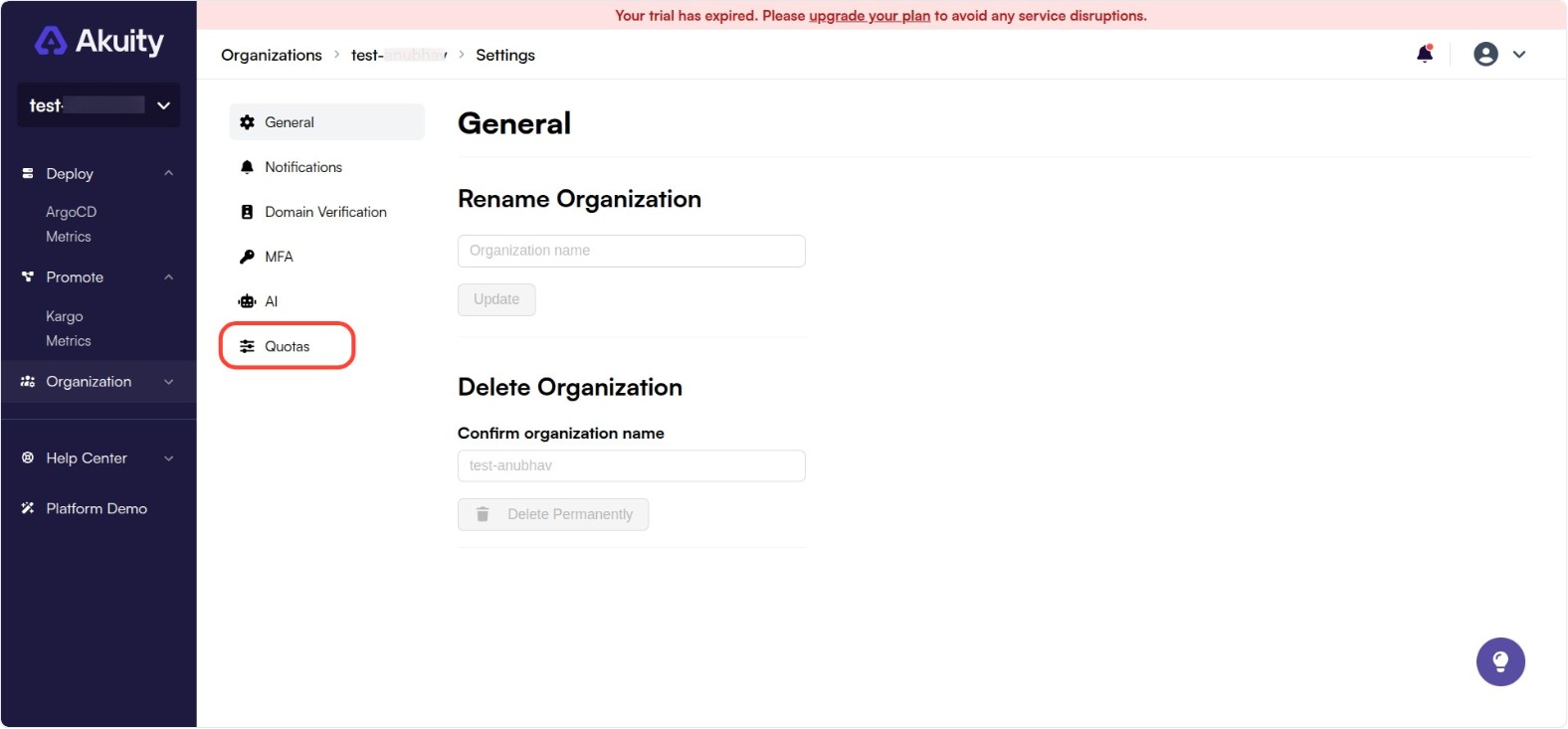
Click the Quotas tab.
-
Here, you can view and manage the quotas for different Argo CD and Kargo instances.
-
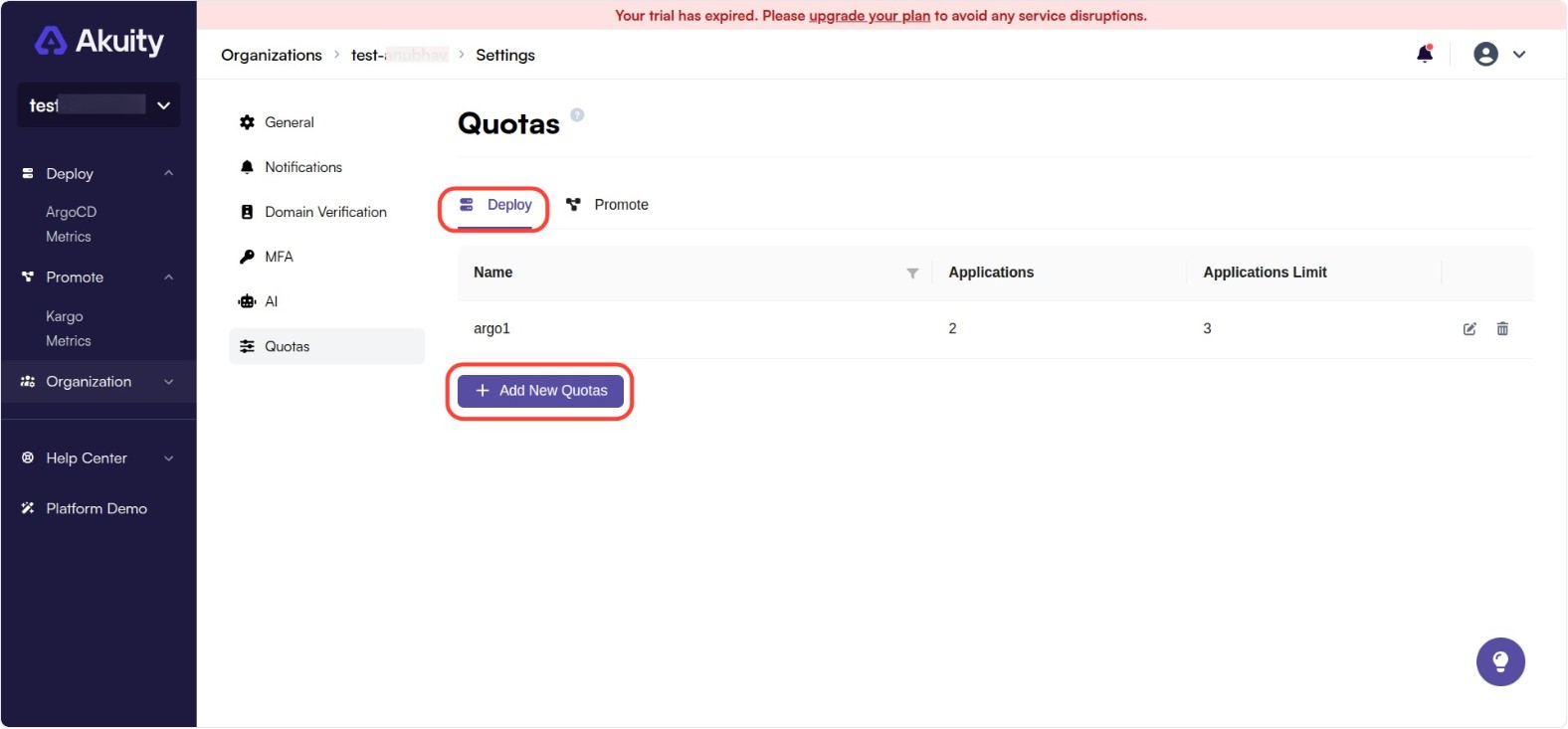
To add a new quota for the Argo CD instance, go to the Deploy tab and click on the Add New Quotas button.
-
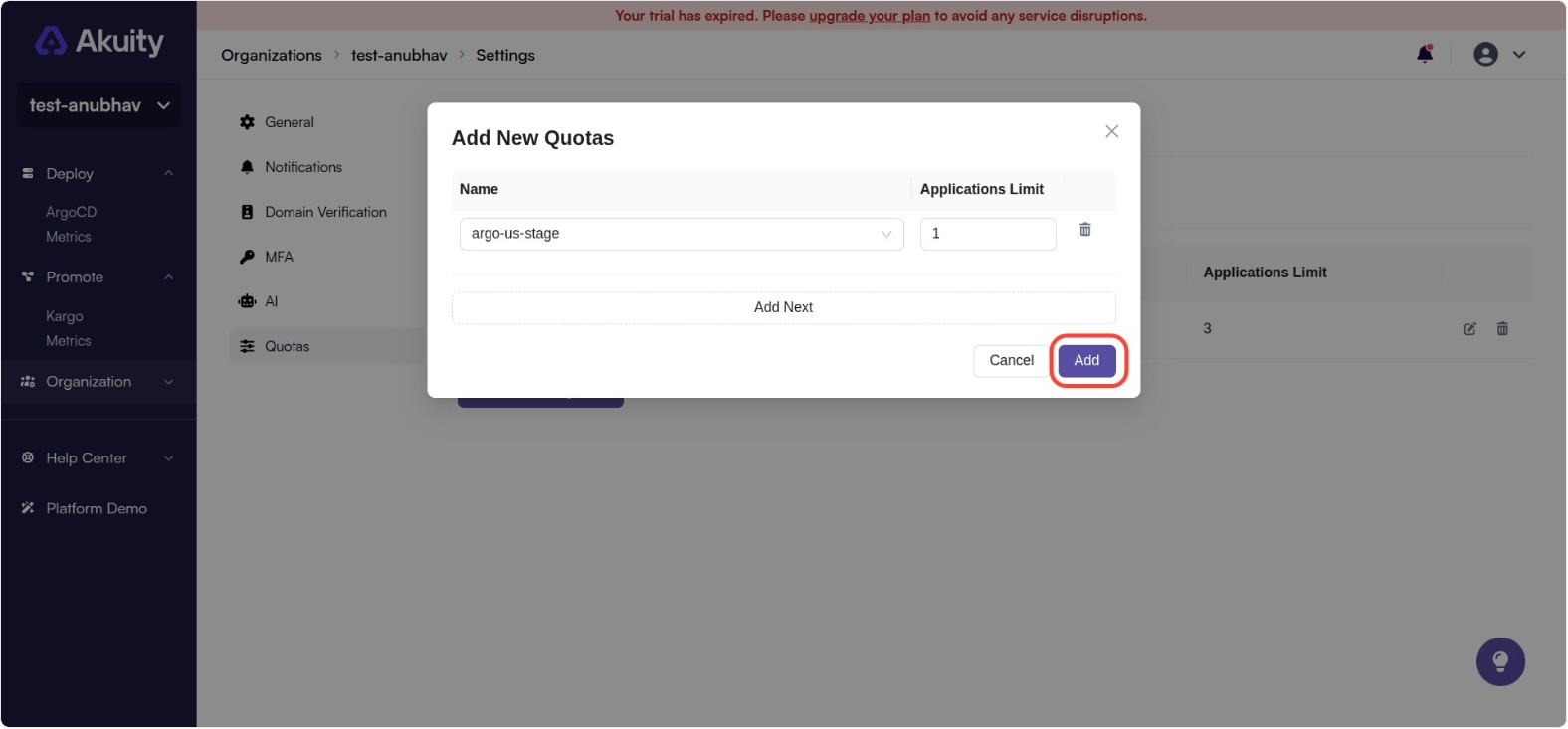
In the Name dropdown, you can select the instance for which you want to set the quota. Next to that is the Applications Limit field where you can set the maximum number of applications allowed for that instance. After setting the desired values, click on the Add button to save the changes.
-
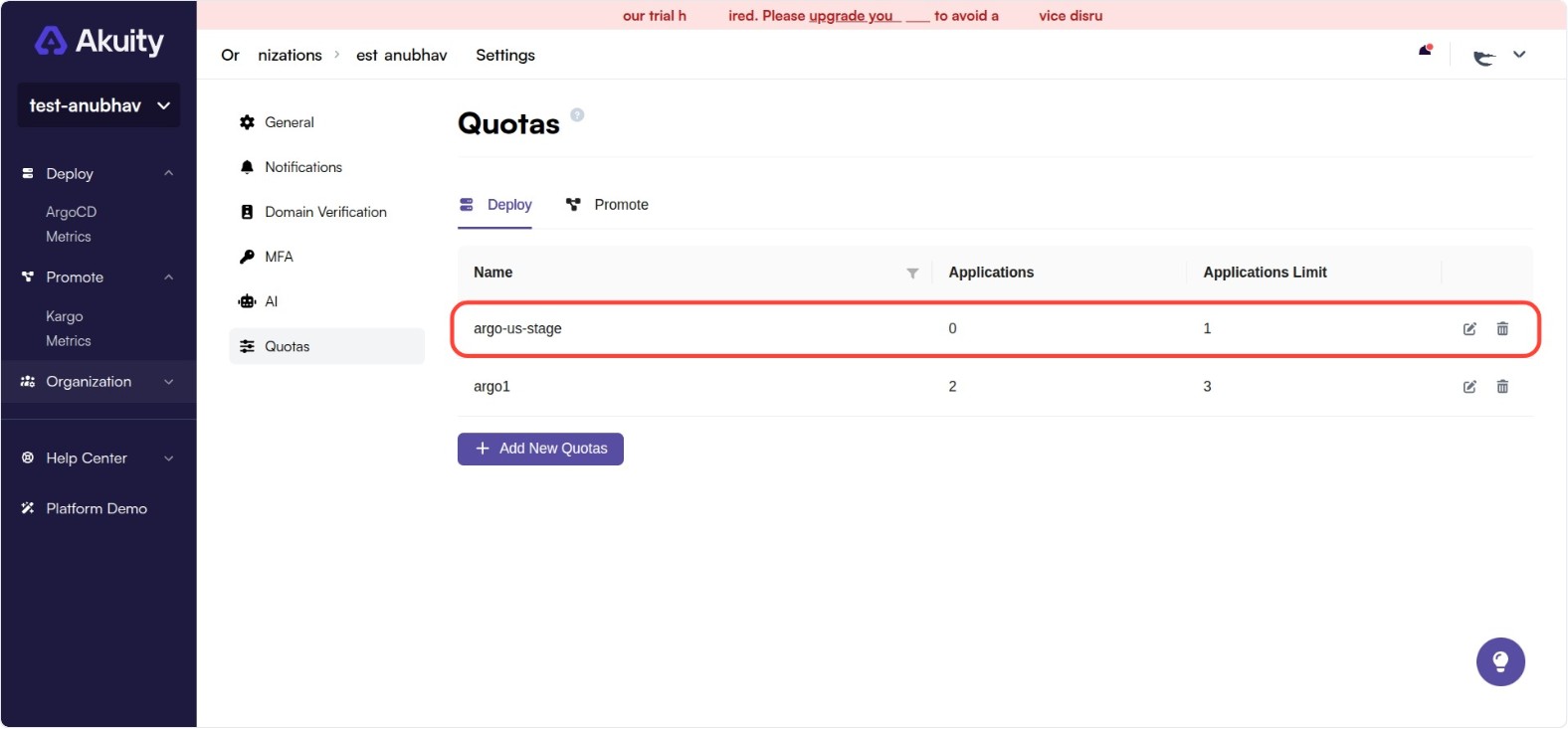
The new quota will be added to the list of quotas for the organization. Here, you can see the current application count and the applications limit for the instance.
-
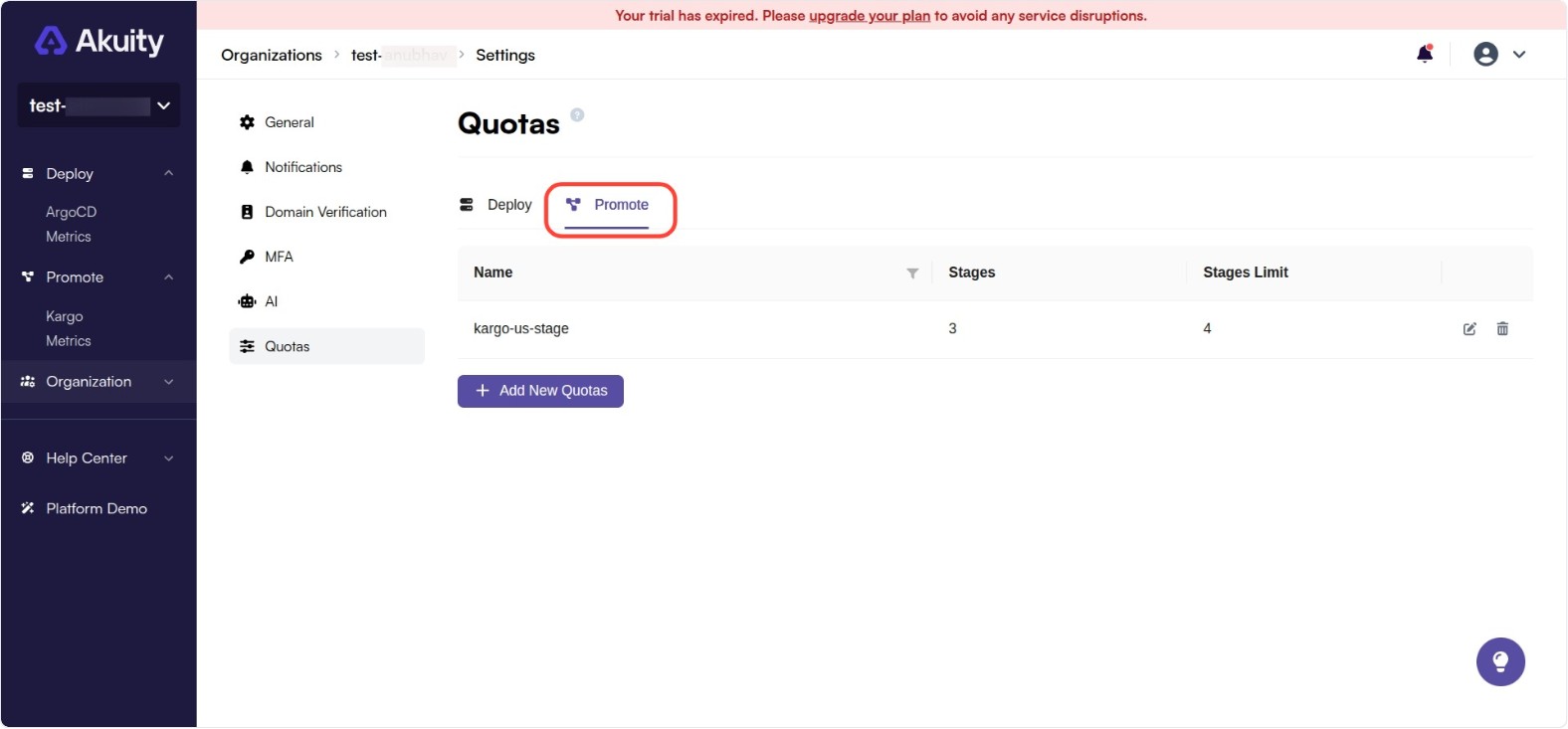
A similar process can be followed to add quotas for Kargo instances by navigating to the Promote tab. You can add limits for the stages for each Kargo instance.