SSO Domain Verification
Domain verification lets your organization confirm ownership of email domains for use with SSO configuration. Once a domain is verified, it can be added as a domain alias in your organization's SSO settings.
Domain verification is managed by your organization's owners. Contact Akuity Support if you encounter issues during the verification process.
Add a Domain Alias
-
Navigate to Organizations > Settings > Domain Verification.
-
In the New Domain Aliases field, type your domain (e.g. if your org email is
user@example.com, enterexample.com).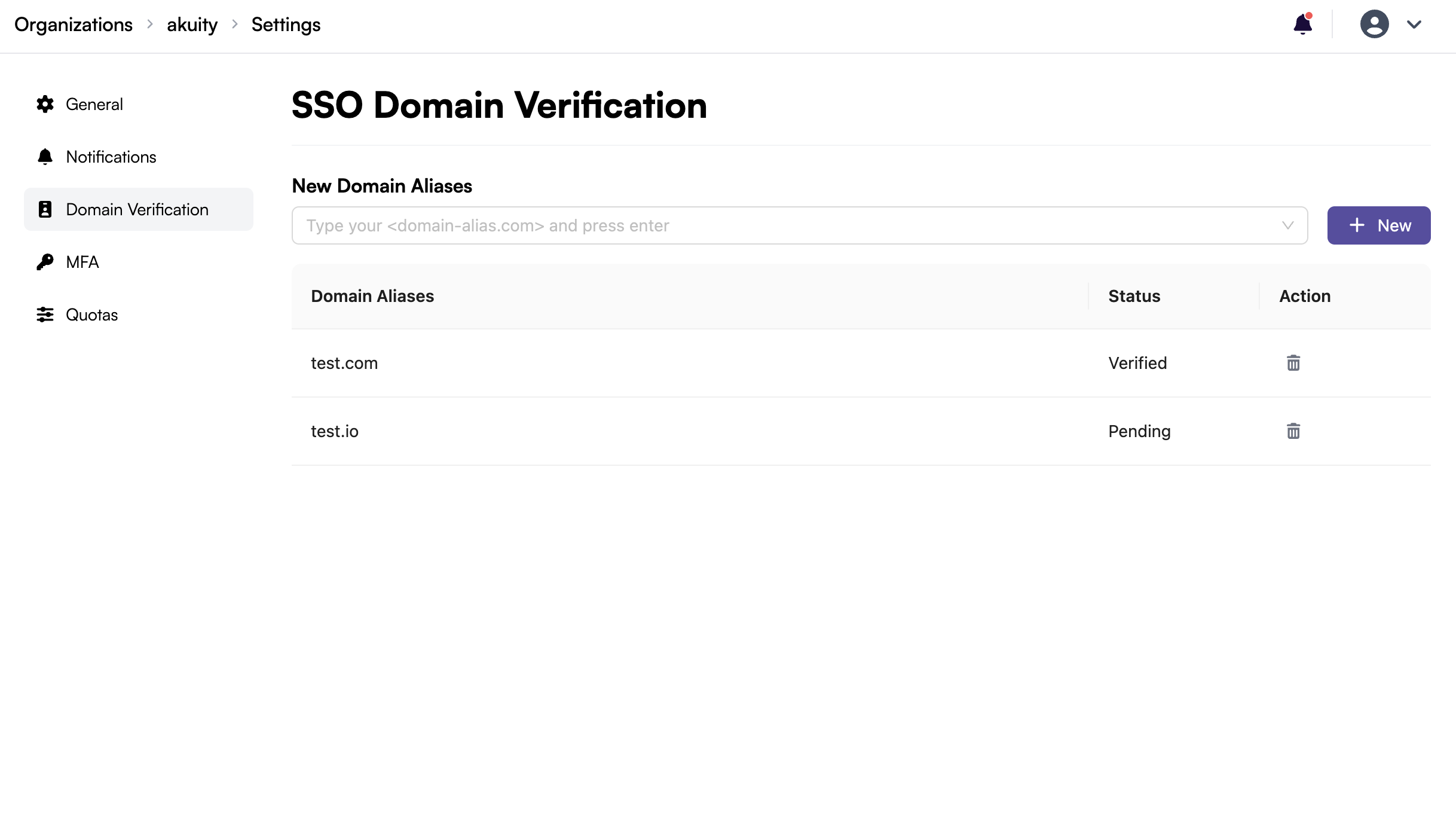
-
Press Enter to add multiple domains and click + New.
Akuity team will review your request and approve the domain on their end.
Verification Status
The domain table shows the current status for each alias:
| Status | Description |
|---|---|
| Verified | Domain ownership confirmed; available for SSO |
| Pending | Domain added but verification not yet complete |
Once a domain is Verified, it can be used as a tenant domain or domain alias in your organization's SSO configuration.