Akuity Agent Resource Customization
Resource Customization feature allows you to configure how ArgoCD interacts with, monitors, and manages your Kubernetes resources to suit your specific needs.
Providing the Group/Kind of the resource, you can customize the following:
- Resource Health
- Resource Actions
- Ignore Differences/Ignore Resource Updates
- Kubernetes Known Type Fields
Refer to the corresponding OSS documentation for more information on these features.
Enable Resource Customization
To enable Resource Customization, follow these steps:
-
Go to Argo CD → your instance → Settings → Resource Customizations.
-
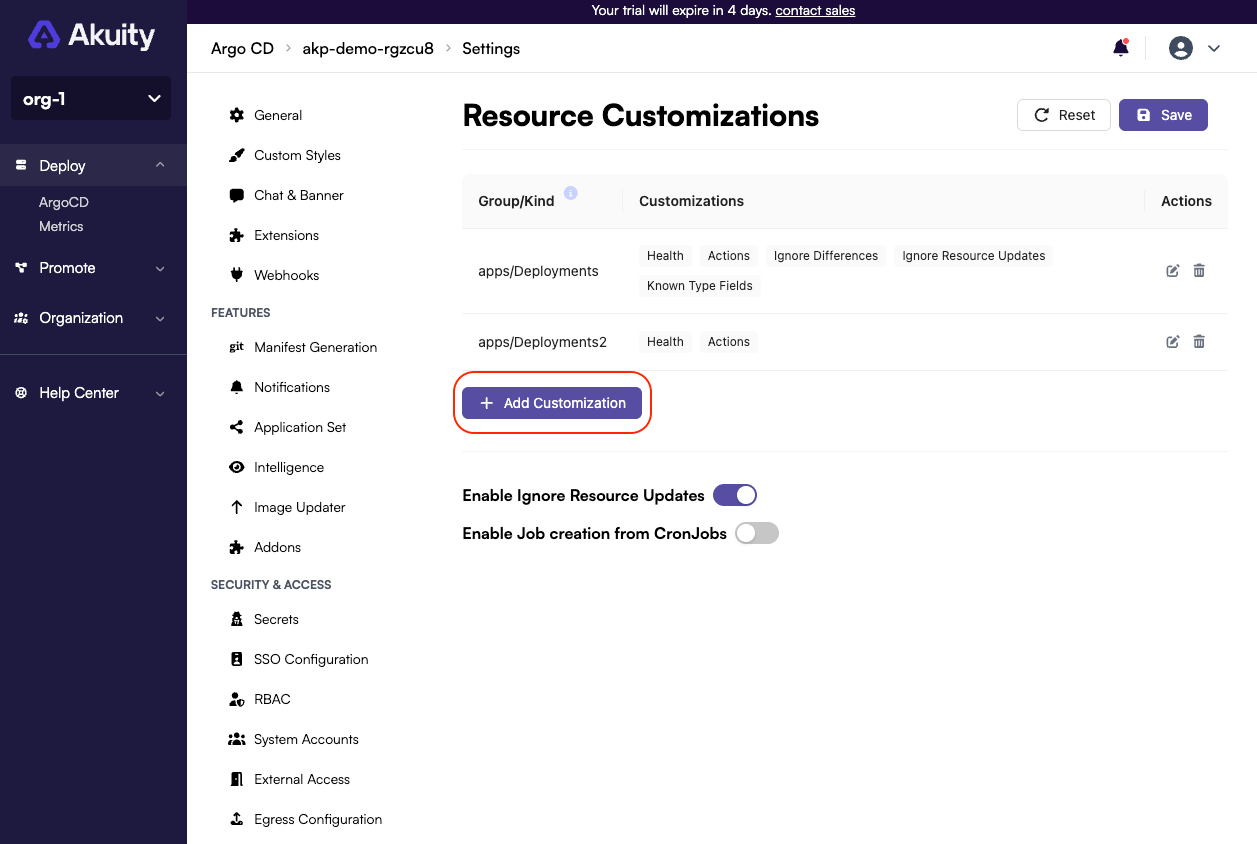
Click on Add Customization to open modal, where you can configure your customization.
-
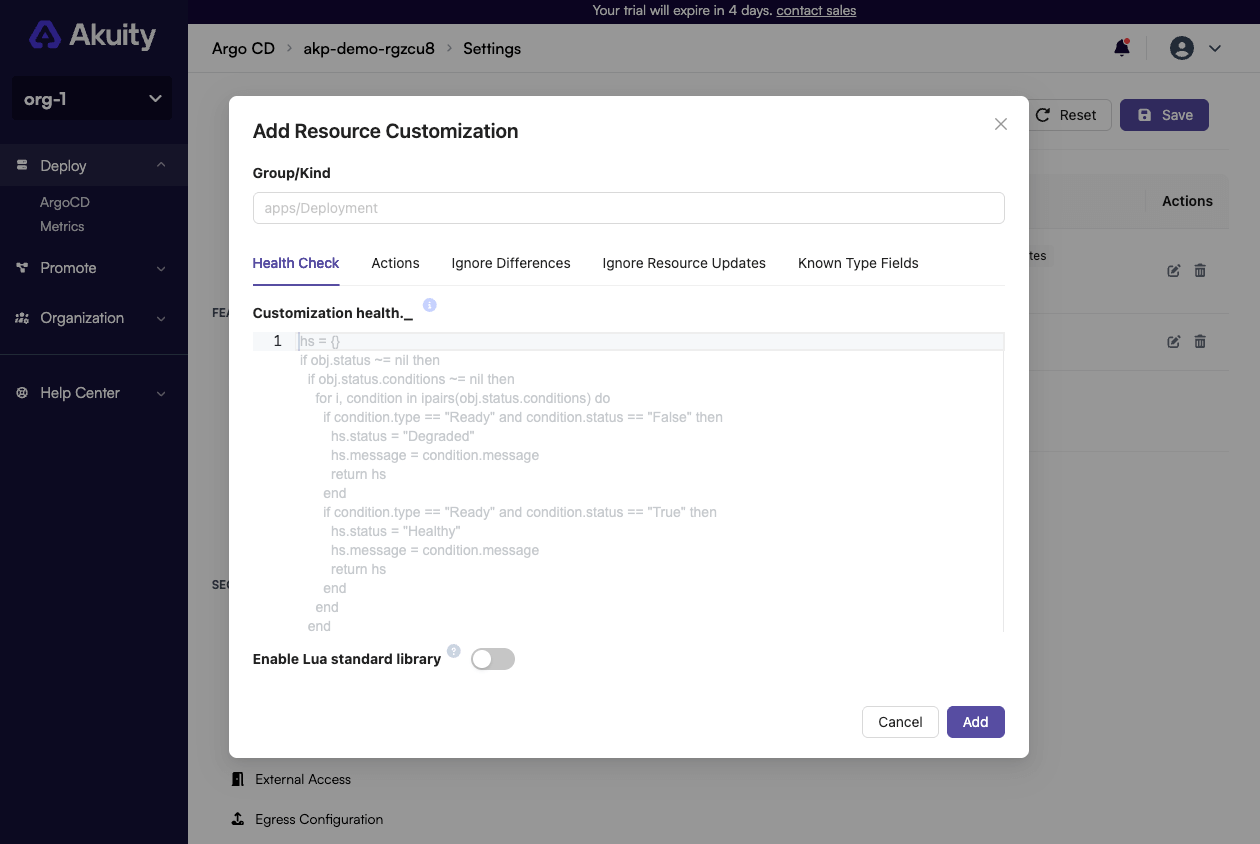
Fill in the applicable fields for the customization:
- Group/Kind: The API group and kind of the resource you want to customize.
- Health Check (optional): The health check configuration for the resource.
- Actions (optional): The resource actions configuration for the resource.
- Ignore Differences (optional): The ignore differences configuration for the resource.
- Ignore Resource Updates (optional): The ignore resource updates configuration for the resource. This configuration can be disabled so that it doesn't effect anything by a switch "Enable Ignore Resource Updates" below the customizations table.
- Known Type Fields (optional): The known Kubernetes types configuration for the resource.
-
Click Add to confirm your configuration.
-
Click Save to save your resource customization settings.
Modifying Resource Customization
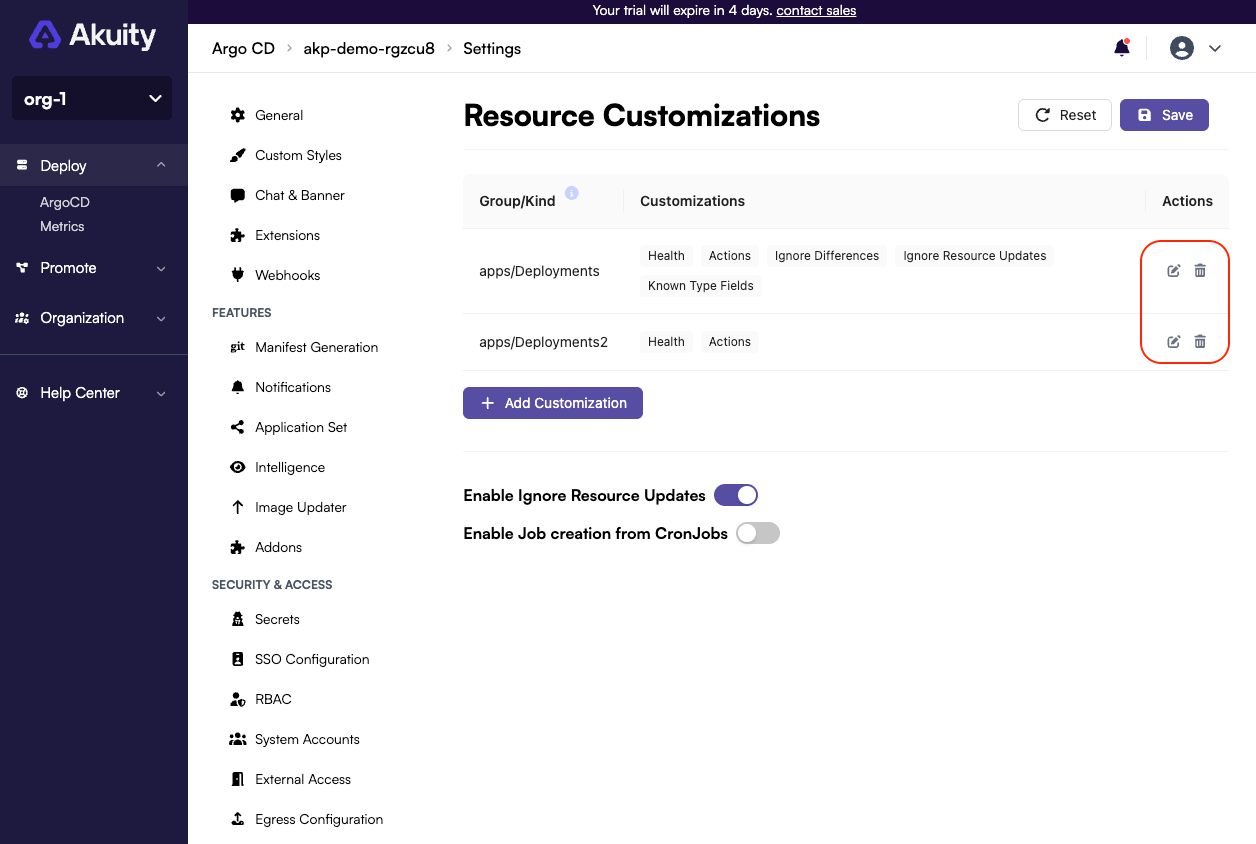
You can edit and delete your resource customizations by using table action buttons and saving settings.
Cron Job
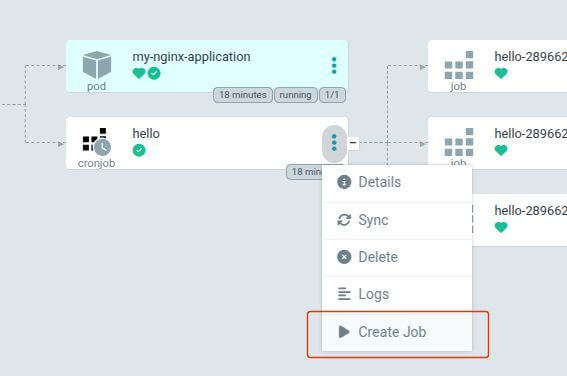
If you would like to create a job from a CronJob, in the ArgoCD UI, you can enable this feature in the Resource Customizations settings.
Enabling/Disabling this feature will require manually re-applying the cluster manifests for all connected clusters once confirmed.
Follow these steps to enable job creation from CronJobs:
-
Go to Argo CD → your instance → Settings → Resource Customizations.
-
Toggle the
Enable Job creation from CronJobstoggle.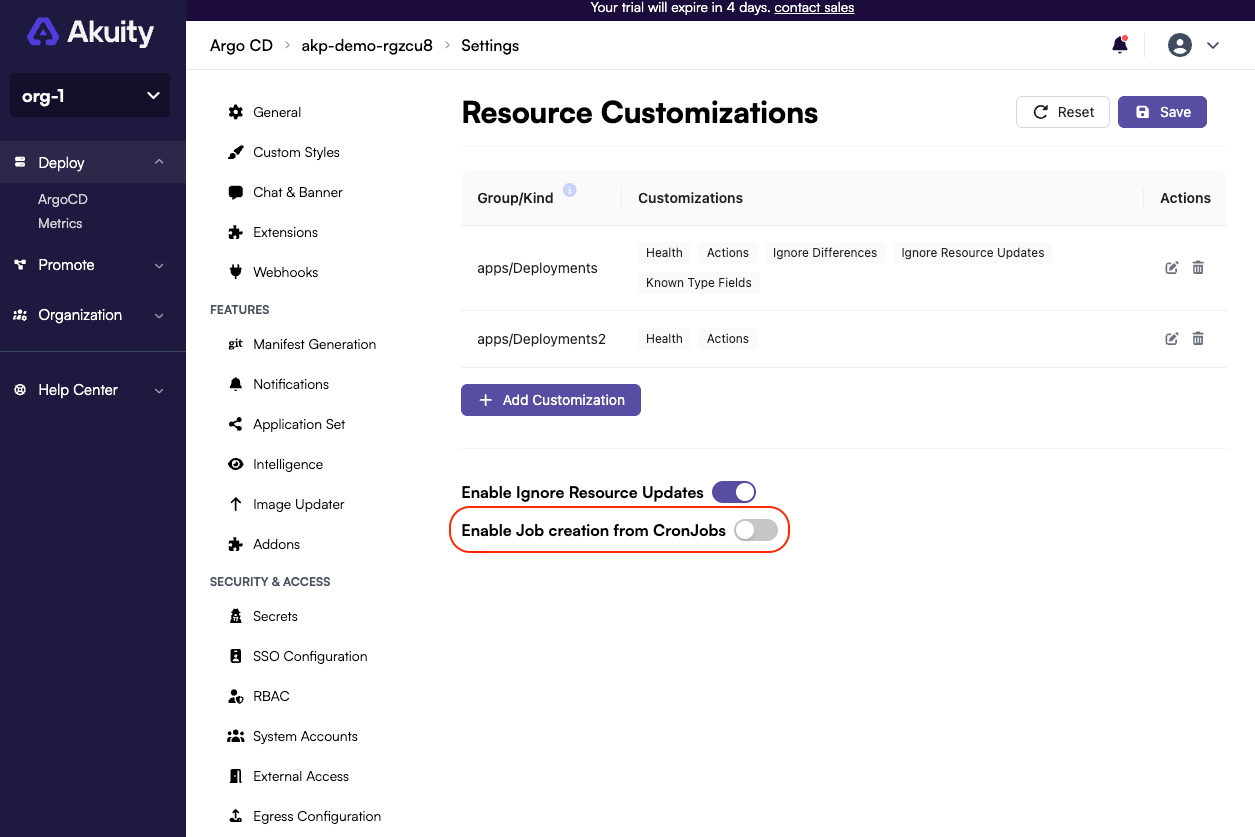
-
Confirm toggling the setting in the confirmation modal.
This setting allows you to create a job from the CronJobs in the ArgoCD UI. It adds the following rules to the akuity-agent ClusterRole in your cluster:
- apiGroups:
  - batch
  resources:
  - jobs
  verbs:
  - create