GitOps for Kargo Resources
Kargo resources can be managed using a GitOps workflow with Argo CD. By storing Kargo resource manifests in Git and configuring an Argo CD Application to target a registered Kargo instance, you can use Argo CD to continuously manage and synchronize those resources.
The workflow consists of two steps:
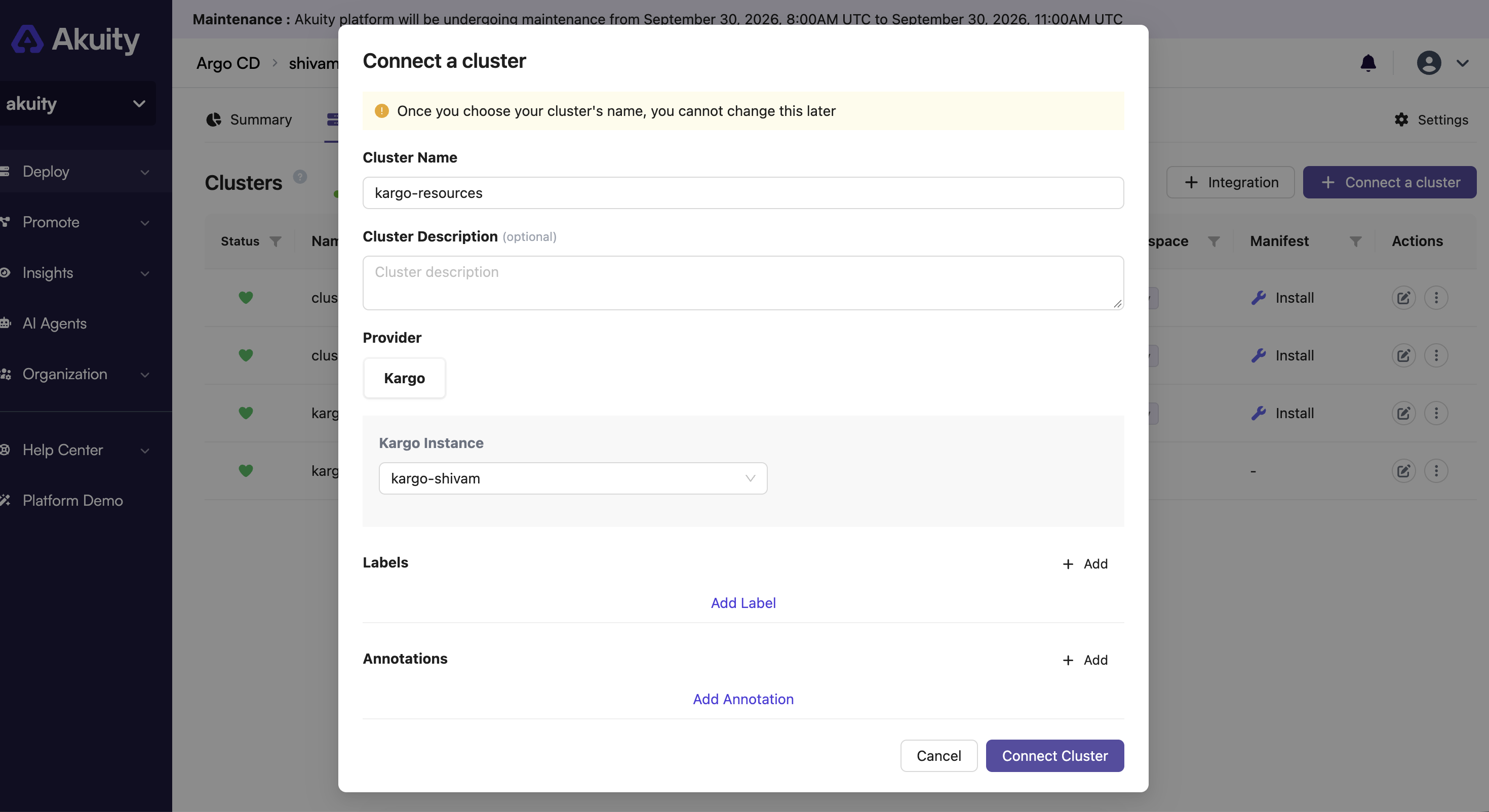
Register the Kargo Instance
First, register the Kargo instance as an integration in your Argo CD instance.
- In your Argo CD instance, go to Clusters.
- Click + Integration.
- Provide an Cluster Name.
- Select the Kargo instance you want to manage and complete the registration.
The cluster name is used to identify the Kargo instance when configuring the destination of an Argo CD Application.
Create an Argo CD Application
After registering the Kargo instance, create an Argo CD Application that points to the Kargo manifests stored in Git.
Set spec.destination.name to the Cluster Name you configured when registering the Kargo instance.
For example:
apiVersion: argoproj.io/v1alpha1
kind: Application
metadata:
  name: kargo-resources
  namespace: argocd
spec:
  project: default
  source:
    repoURL: https://github.com/example/kargo-config.git
    targetRevision: main
    path: kargo
  destination:
    name: kargo-resources
In this example, kargo-resources is the integration name configured when registering the Kargo instance.
The source points to the Git repository containing the Kargo manifests. Argo CD synchronizes the resources from the specified path to the registered Kargo instance.
Example Repository
Create a directory in your Git repository to store the Kargo resource manifests:
kargo-config/
└── kargo/
    ├── project.yaml
    ├── warehouse.yaml
    ├── stage.yaml
    └── promotion-task.yaml
For example, project.yaml could contain:
apiVersion: kargo.akuity.io/v1alpha1
kind: Project
metadata:
  name: example
Add the Kargo resources you want to manage to the repository under the path configured in the Argo CD Application.
Once the manifests are committed to Git, Argo CD can synchronize them to the registered Kargo instance, allowing you to manage Kargo resources through Git.