Component logs
The Kargo control-plane components of your instance, such as the API server and the management controller, run in the Akuity-managed control plane. You can read their logs yourself, the same way kubectl logs would show them, without opening a support request.
Logs are read live from the running pods. They are not stored by the Akuity Platform, so a line is available for as long as the pod keeps it.
Components
| Component | What it runs |
|---|---|
kargo-api | The Kargo API server and UI |
kargo-management-controller | Project and namespace management |
kargo-webhooks-server | Kubernetes admission webhooks for Kargo resources |
kargo-external-webhooks-server | Inbound webhooks from Git and artifact providers |
kargo-dex-server | The Dex identity service used for SSO |
argo-rollouts | The Argo Rollouts controller used for verification |
kargo-cplane-controller | The control-plane controller |
kargo-event-message-controller | The event message controller |
kargo-extension-server | The Kargo extension server |
The dashboard lists only the components that run on your instance right now. A component does not run when it is not part of the instance's Kargo version, the feature is disabled, for example Dex SSO, or the instance is still being provisioned or upgraded.
Kargo controllers that run in your clusters are part of the Kargo agent, so their logs are in your cluster.
Permissions
Reading component logs requires the get permission on Kargo Logs (workspace/kargo-instance/logs) for the instance. It is kept separate from reading the instance itself, because logs can contain details that not every instance viewer should see.
-
Organization owners and workspace admins have this permission by default.
-
Grant it to other members through a custom role.
-
An API key needs the same permission in its scope.
Component logs can also be turned off for a whole organization. If you have the permission but the Logs tab is missing, contact Akuity support.
Dashboard
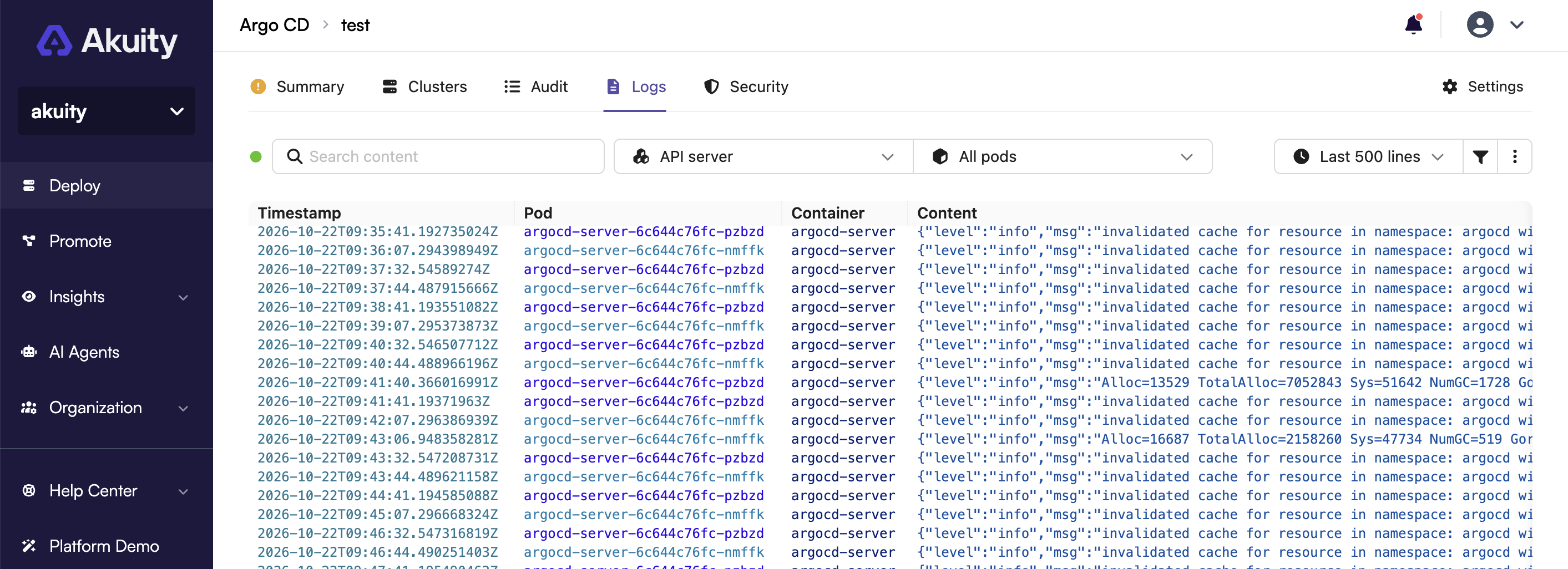
Navigate to Kargo → your instance → Logs.
-
Select the Component. Pick a Pod to narrow the stream, or leave it unset to merge every pod of the component.
-
Choose a Range: the last 500 to 5000 lines, or the last 15 minutes, hour, or 6 hours.
-
Type in Search content to filter the loaded lines.
Under Filters you can show or hide the timestamp, pod, and container columns, keep Errors only, or read the logs from Before last restart to see why a container crashed.
Under Actions you can Follow the stream as new lines arrive, toggle Wrap lines, Reload, Clear the view, copy the lines, or download them as a text file.
The viewer keeps up to 5000 lines. When a time range holds more, only the latest 5000 are shown, and Errors only filters those loaded lines.
CLI
The Akuity CLI streams the logs of one component with akuity kargo instance logs:
akuity kargo instance logs <instance-name> \
  --organization-name <organization-name> \
  --component kargo-api \
  --tail 100 \
  --follow
Limits on followed streams
To protect the control plane, an instance can have two followed streams open at the same time, and a followed stream is closed after one hour. Open it again to keep following. Reading logs without following, such as the last 100 lines, is not limited.