Advanced Settings
General
Auto Update
-
Toggle Auto Apply Changes off to prevent the agent from automatically upgrading its components.
Manual Updates to the Akuity AgentWith auto upgrades disabled, users must apply the agent updates manually. To accomplish this, go to the Clusters menu for the Kargo instance and click Install Agent on the desired cluster, then run the provided command with the
kubectlcontext set for the corresponding cluster.
Private Connectivity
-
The Private Connectivity setting controls how the agent connects to the Akuity Platform. Public connects over the public internet, while Private connects through an AWS interface endpoint in your VPC using AWS PrivateLink. See Private Connectivity (AWS PrivateLink) for the full setup guide.
notePrivate requires a connected AWS account with an available PrivateLink connection. Akuity-managed agents always use public connectivity.
Agent Size
Agent size configuration is only available for self-hosted Kargo agents.
-
In the Agent Size section, choose the size of your Akuity Agent. This selection only impacts the resources allocated to the Akuity Agent within your cluster and does not impact your billing in any way.
Agent Size Controller Memory Controller CPU Small 0.5GB 0.25CPU Medium 1GB 0.50CPU Large 2GB 1CPU Auto Auto Auto
Kargo Controller Autoscaling (Auto)
The Auto size for Kargo agents is an experimental, alpha-quality feature.
When you set an agent's size to Auto, the Akuity Agent continuously right-sizes the Kargo controller running in that cluster.
If a pod is OOMKilled, the agent detects it immediately and scales up both memory and CPU resources.
CPU and memory scale up when average usage exceeds 80% of the current allocation, and scale down when it drops below 30%, preventing flapping.
Manifests Customization
Akuity Custom Image Registry
- Enter where to pull the agent image from using the Akuity Custom Image Registry field. The default registry is
quay.io/akuity.
Argoproj Custom Image Registry
- Enter where to pull the Argo CD images from using the Argoproj Custom Image Registry field. The default registry is
quay.io/argoproj.
Kargo Custom Image Registry
- Enter where to pull the Kargo images from using the Kargo Custom Image Registry field. The default registry is
quay.io/akuity.
Allowed Job Service Accounts
Use the Allowed Job Service Accounts field to list service accounts that AnalysisTemplate Jobs are allowed to run as. Each service account must already exist in the agent's namespace.
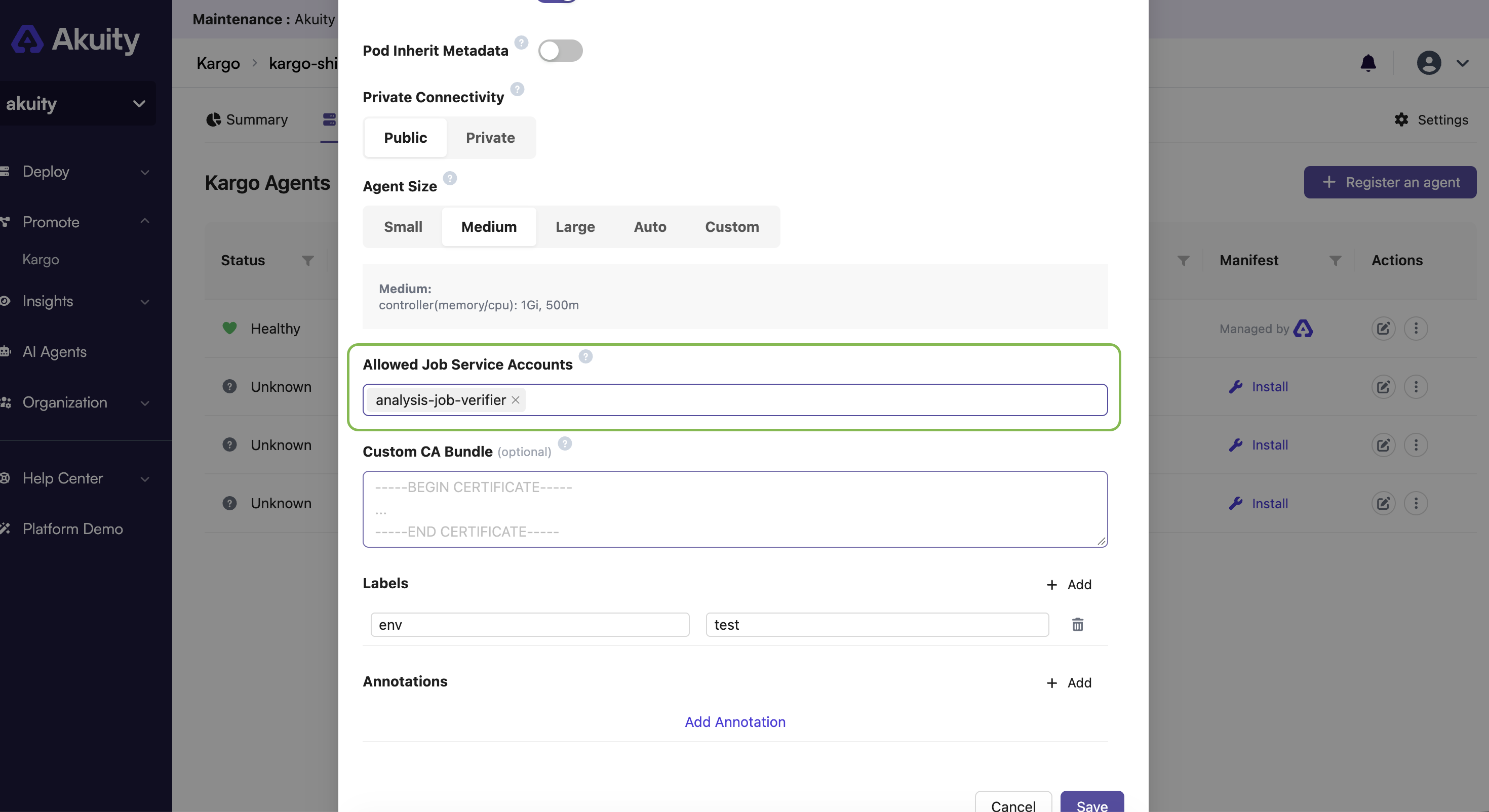
To use an allowed service account, set serviceAccountName in the Job's pod template (spec.metrics[].provider.job.spec.template.spec.serviceAccountName). By default, Jobs run as the default service account.
For example:
apiVersion: argoproj.io/v1alpha1
kind: AnalysisTemplate
metadata:
  name: integration-test
  namespace: jira-promotions
spec:
  metrics:
    - name: integration-test
      provider:
        job:
          spec:
            backoffLimit: 1
            template:
              spec:
                containers:
                  - command:
                      - sleep
                      - "300"
                    image: alpine:latest
                    name: sleep
                restartPolicy: Never
                serviceAccountName: analysis-job-verifier
Custom CA Bundle
-
Use the Custom CA Bundle field to provide a PEM bundle of one or more CA certificates that the agent workloads should trust in addition to the well-known public CAs. This is typically needed when the agent runs behind a TLS-intercepting proxy (for example, Zscaler) or connects to Git repositories and registries that use certificates issued by a private CA.
When a bundle is set, every agent workload combines it with the default trust store and mounts the result at
/etc/ssl/certs/ca-certificates.crt, so all components — includinggitused during promotions — trust the additional CAs. Updating or clearing the bundle restarts the agent workloads automatically.note- A single certificate or a bundle of several certificates is accepted. All certificates must be valid (unexpired) PEM-encoded
CERTIFICATEblocks. - New agents inherit the bundle configured in
Agent Default Settings, unless a bundle is provided when registering the agent. - Akuity-managed Kargo agents use internal service endpoints and do not support a custom CA bundle.
- A single certificate or a bundle of several certificates is accepted. All certificates must be valid (unexpired) PEM-encoded
Kustomization
- The Akuity Platform supports customizing the Akuity Agent manifests using a
Kustomization.