General Settings
Change Version
The version of a managed Kargo instance can be upgraded (or downgraded) easily using the Akuity Platform.
-
Navigate to Kargo → your instance → Settings → General.
-
Under Instance, select your desired version.
-
Click Save.
Once saved, the Akuity Platform will automatically update the instance. After the operation is complete, the instance will show a healthy status in the dashboard, indicating success.
Changing the version of the instance will trigger an update of the Akuity Agent on all connected clusters. The operation is carried out by a temporary job executed in the agent's namespace.
Automatic updates to the Akuity Agent can be disabled by default for all clusters on an instance and per cluster. See Disable Auto Upgrade in Agent Advanced Settings.
A similar job is used when modifying cluster options such as Agent size, Labels or Annotations, to automatically update the agent configuration in the connected clusters.
Pin Agent Version
By default, each agent runs the Akuity Agent version from its own settings, and the Akuity Platform moves agents to the latest version when it updates them. Pinning sets a single agent version for every agent of the instance. Use it when you need to control exactly which agent version runs in your clusters, for example to validate a version before rolling it out everywhere or to hold a version during a change freeze.
-
Navigate to Kargo → your instance → Settings → General.
-
Under Versions, select a version in Agent Version.
-
Confirm the change.
While a version is pinned:
- Every agent of the instance is updated to the pinned version immediately.
- The agent version can no longer be changed per agent. The version selector in the agent settings is locked, and API, CLI and Terraform requests that set a different version are rejected until you unpin.
- Changes that update the agents, such as changing the Kargo version, roll out the pinned version and not the latest one.
- Akuity-managed agents are not pinned and always run the latest agent.
To unpin, select Unpinned in Agent Version. Each agent keeps the version it is running and can be changed individually again.
Older agent versions might be missing features or be incompatible with newer Kargo versions. Review the pin when you upgrade the instance.
With the Terraform provider, set pinned_agent_version in the instance spec of the akp_kargo_instance resource. Removing the attribute unpins the instance. In a declarative spec, the field is spec.kargoInstanceSpec.pinnedAgentVersion.
Global Namespace Settings
The global namespaces are a list of Kargo Project namespaces that house credentials/service accounts made available to all Projects. This is useful for centrally managing shared service accounts which have access to all projects or shared credentials (such as read-only container image registry credentials) that would be used in multiple projects.
Default Shard Agent
The Default Shard Agent is a feature that allows you to designate a specific Akuity Agent to handle shard operations for your Kargo instance. The default agent will reconcile all Kargo Stages that are not assigned to a specific shard.
Instance Termination Protection
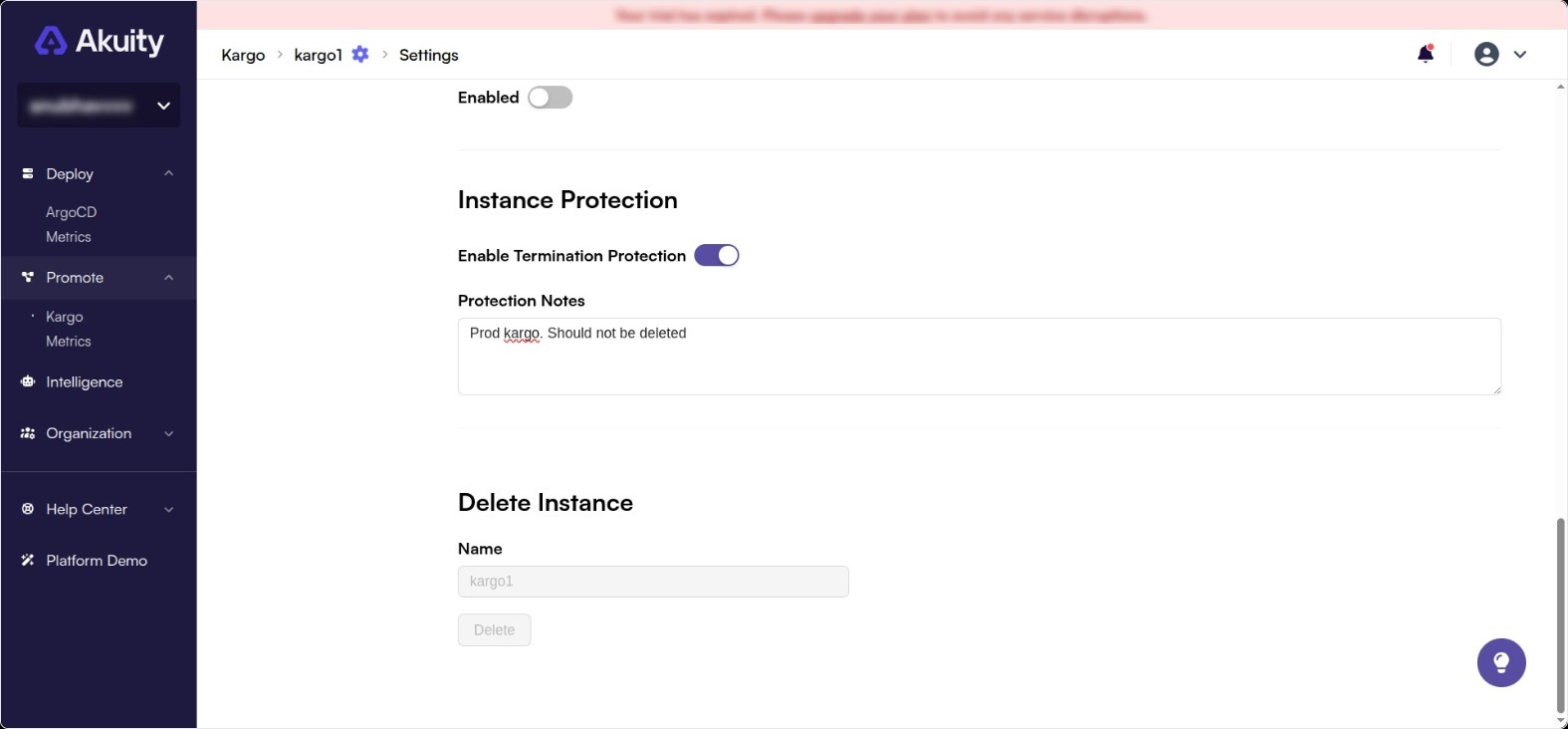
Instance termination protection prevents a Kargo instance from being accidentally deleted. When enabled, any attempt to delete the instance will be blocked until the protection is explicitly disabled.
To enable termination protection:
-
Navigate to Kargo → your instance → Settings → General.
-
Toggle the Enable Termination Protection switch.
-
Optionally, enter a message in the Instance Protection Notes field. This message is displayed to anyone who attempts to delete the instance, and can be used to explain why the instance is protected or who to contact for more information.
-
Click Save.