Argo CD UI in Kargo
The Argo CD UI in Kargo is a built-in extension for Kargo Enterprise on the Akuity Platform. It lets you view Argo CD application details — sync status, health, resource trees, and more — directly inside the Kargo dashboard, without switching to a separate Argo CD window.
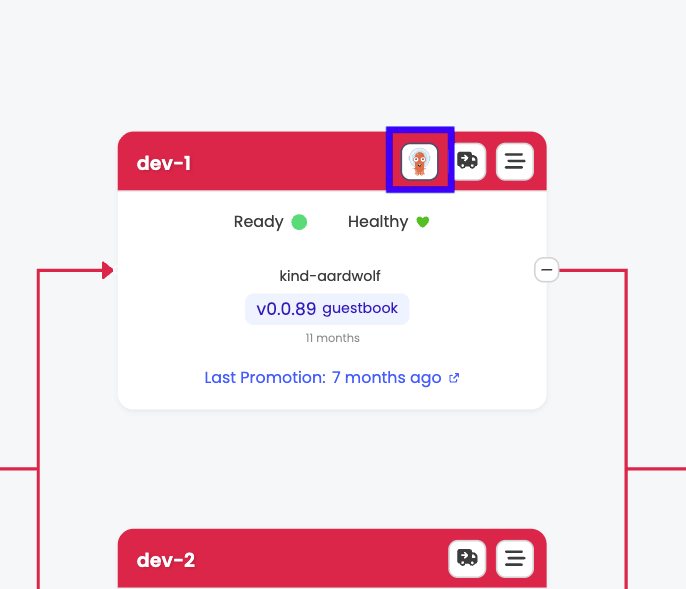
When a Kargo stage is connected to an Argo CD shard managed by Akuity, an Argo CD button appears on that stage node in your project view. Clicking it opens an embedded Argo CD UI page within Kargo.
This feature requires both your Argo CD instance and your Kargo instance to be managed by the Akuity Platform. Self-hosted Argo CD or self-hosted Kargo installations are not supported.
How to access the Argo CD UI
No configuration is needed to use the embedded Argo CD UI. The Argo CD button appears automatically on any stage that is interacting with an Argo CD shard.
-
In the Kargo dashboard, navigate to Projects and open your project.
-
In the pipeline view, locate the stage that is connected to an Argo CD application. If the stage is interacting with an Argo CD shard, an Argo CD button is visible on the stage node.
-
Click Argo CD. You are taken to an Argo CD UI page embedded inside the Kargo dashboard.
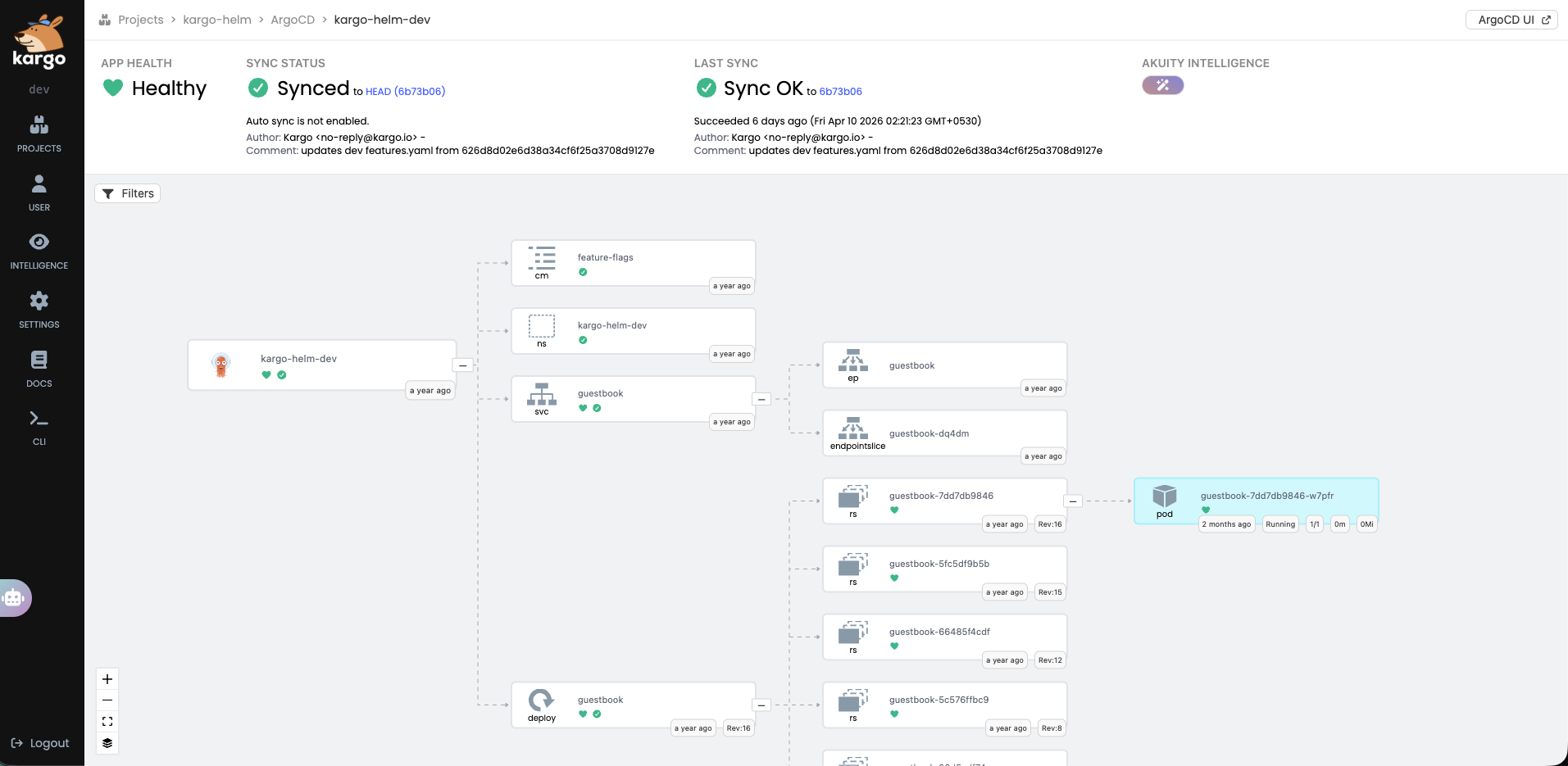
The embedded view shows the Argo CD application associated with that stage, including:
-
Application sync status and health
-
Live resource tree (Deployments, ReplicaSets, Pods, Services, and more)
-
Sync history and operation details
-
Resource manifests and events
To open the full Argo CD dashboard for that application, click Open in Argo CD UI in the top-right corner of the embedded view.
Read-only access
By default, the embedded Argo CD UI is read-only. You can view all application details, but write operations — such as syncing an application, deleting a resource, or triggering a rollback — will return a permission error.
This is by design. When IDP Groups Mapping is not enabled, the proxy uses a pre-configured service account token with read-only access to Argo CD. No user identity or group information is forwarded.
To perform write operations from within the Kargo dashboard, enable IDP Groups Mapping.
Enabling write access: IDP Groups Mapping
The IDP Groups Mapping setting enables write operations in the embedded Argo CD UI for users whose IDP group memberships grant them the necessary permissions in Argo CD RBAC.
When IDP Groups Mapping is enabled, the user's IDP group memberships are passed through to Argo CD on every request. Argo CD then evaluates those groups against its own RBAC policies to determine what the user is allowed to do.
Argo CD RBAC is the single source of truth for write permissions. Enabling this setting does not grant any user blanket write access — it makes group-based authorization flow through to Argo CD, where your existing RBAC rules take effect.
IDP Groups Mapping requires that the group names from Kargo's identity provider match the groups referenced in Argo CD's RBAC policies. If the group names differ between the two systems, Argo CD may not recognize the user's groups, leading to unexpected permission denials.
Enabling IDP Groups Mapping
In the Akuity Platform, navigate to Kargo → your instance → Settings.
-
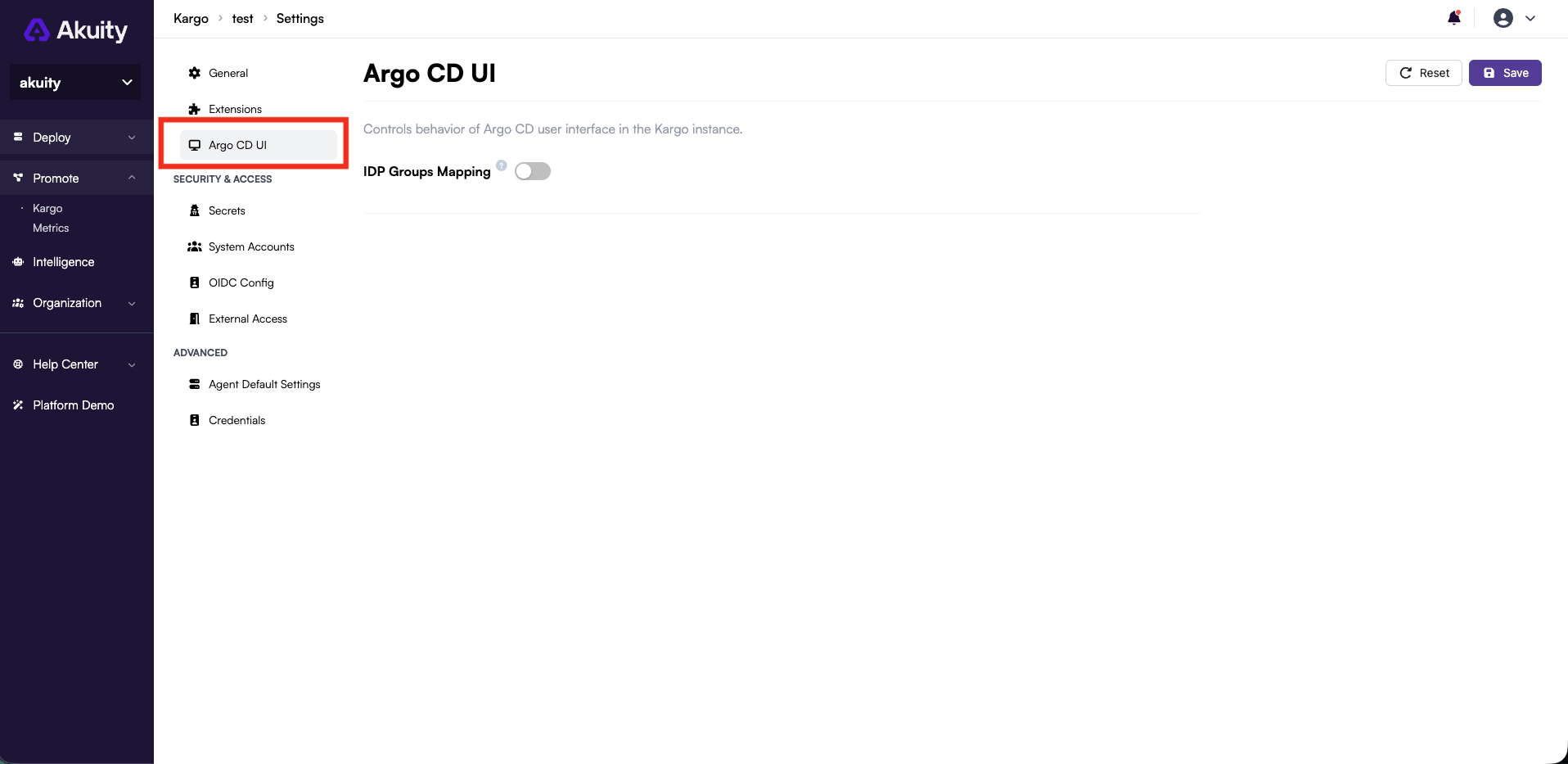
In the left panel, select the Argo CD UI tab.
-
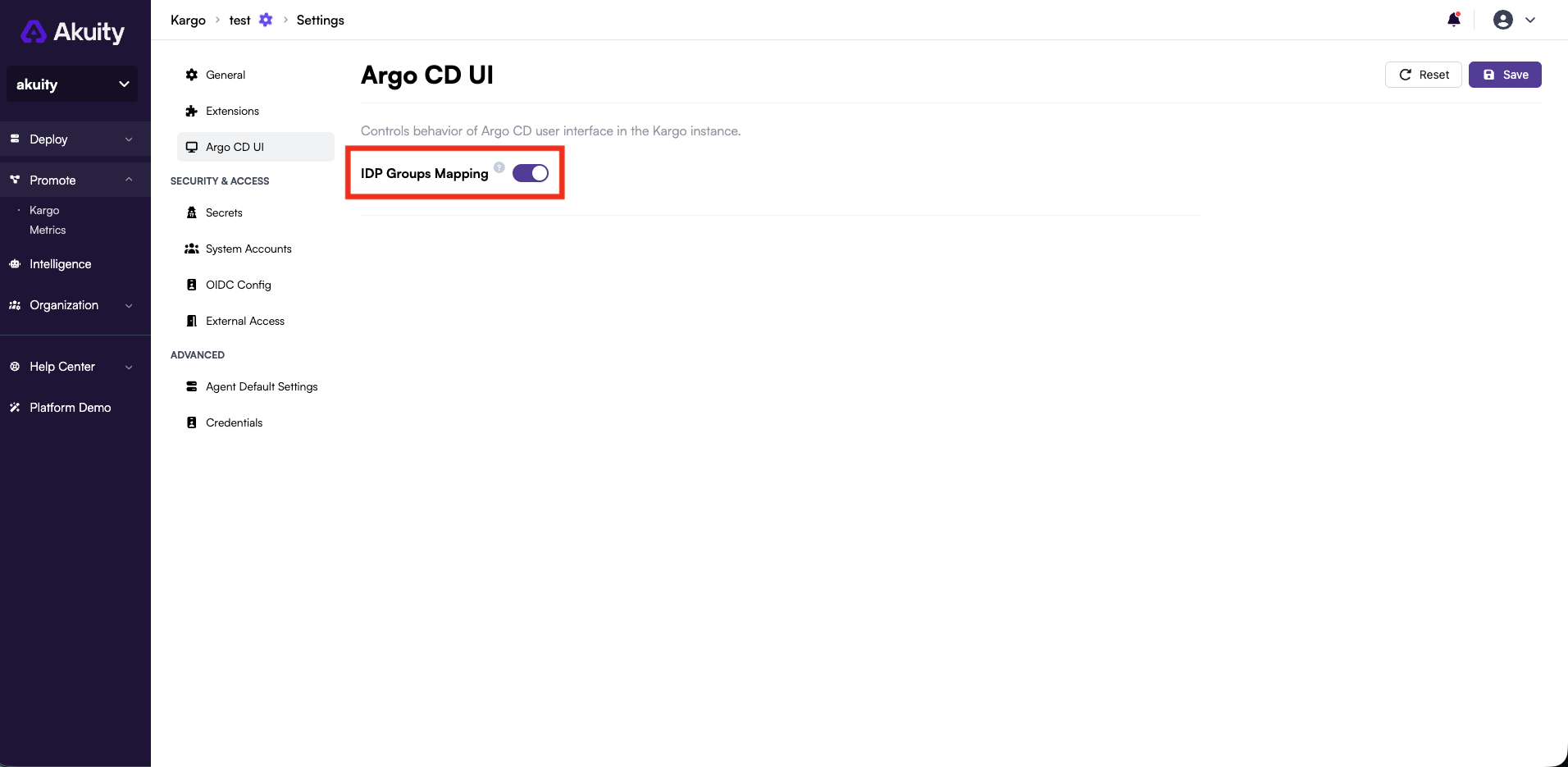
Enable the IDP Groups Mapping toggle.
-
Click Save.
Once saved, any user whose IDP groups are mapped to a write-enabled role in Argo CD RBAC will be able to perform sync, delete, and other write operations from the Kargo dashboard.
Users whose IDP groups are not granted write access in Argo CD RBAC will continue to see the read-only view even after this setting is enabled. The setting does not bypass Argo CD RBAC — it makes group-based authorization possible.
Reserved group names
Some names have a built-in meaning in Argo CD RBAC, so they are never passed to Argo CD, even when they appear in a user's IDP groups:
-
admin -
Any name that starts with
role:, such asrole:admin
The Kargo admin account signs in as admin, so it does not get Argo CD admin rights from that name in the embedded Argo CD UI. To grant write access, map an IDP group with a different name in Argo CD RBAC, for example g, platform-admins, role:admin.
Frequently asked questions
Does enabling IDP Groups Mapping give all users write access?
No. Enabling the setting makes group-based authorization possible, but actual permissions are determined by Argo CD RBAC. A user must belong to an IDP group that is explicitly granted write access in Argo CD's RBAC configuration.
Why do I see a permission error when I try to sync?
Either IDP Groups Mapping is not enabled, your IDP groups are not mapped to a write-enabled role in Argo CD RBAC, or the only group that grants write access has a reserved name. Check the setting in Kargo → your instance → Settings → Argo CD UI, and verify your Argo CD RBAC configuration.
Is the embedded view fully equivalent to the Argo CD UI?
No. The embedded view covers the most commonly used features: application details, resource trees, sync status, and history. It is not fully feature-equivalent to the standalone Argo CD UI. For operations not available in the embedded view, click Open in Argo CD UI to go directly to the full Argo CD dashboard.
Do I need to configure anything in Argo CD to use this feature?
No additional Argo CD configuration is required for read-only access. For write access via IDP Groups Mapping, ensure your Argo CD RBAC policies include the relevant IDP group names and grant them the necessary permissions.
Will this work if I use self-hosted Kargo or self-hosted Argo CD?
No. The embedded Argo CD UI is available only when both Kargo and Argo CD are managed by the Akuity Platform.