SSO
The Akuity Platform allows you to configure a single SSO provider for Kargo, such as Dex, OIDC, or any other supported providers, ensuring secure user access to your Kargo instance.
The Akuity Platform supports the following SSO providers:
- Dex
- OpenID Connect (OIDC)
For more detailed information on Kargo SSO, please refer to the documentation of OSS Kargo.
Provider guides
- Microsoft Entra ID (Azure AD) — Native OIDC, Dex OIDC, or Dex SAML
- Okta — Native OIDC or Dex SAML
Direct OIDC or Dex
Kargo authenticates users via OpenID Connect. It supports two modes:
- Direct OIDC — Kargo's UI talks to the identity provider directly, using the authorization code flow with PKCE.
- Dex — Kargo uses its built-in Dex instance as a middle-man to the identity provider.
Configuring SSO
Every provider guide starts from the same place:
-
In your Kargo Instance, go to Settings.
-
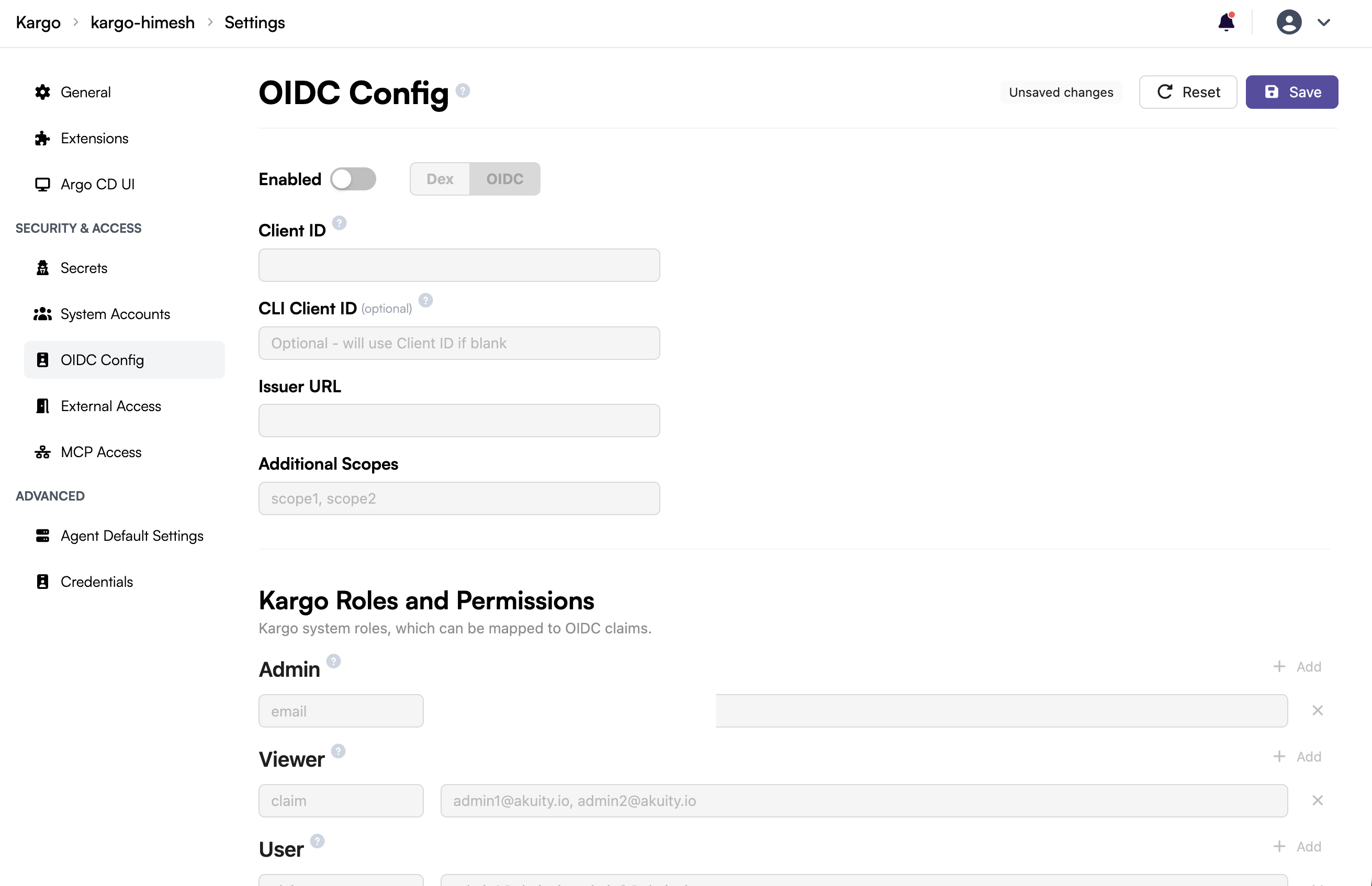
In the left panel, search for Access and go to OIDC Config.
-
Click on the Enabled toggle to enable OIDC and choose your desired
Type.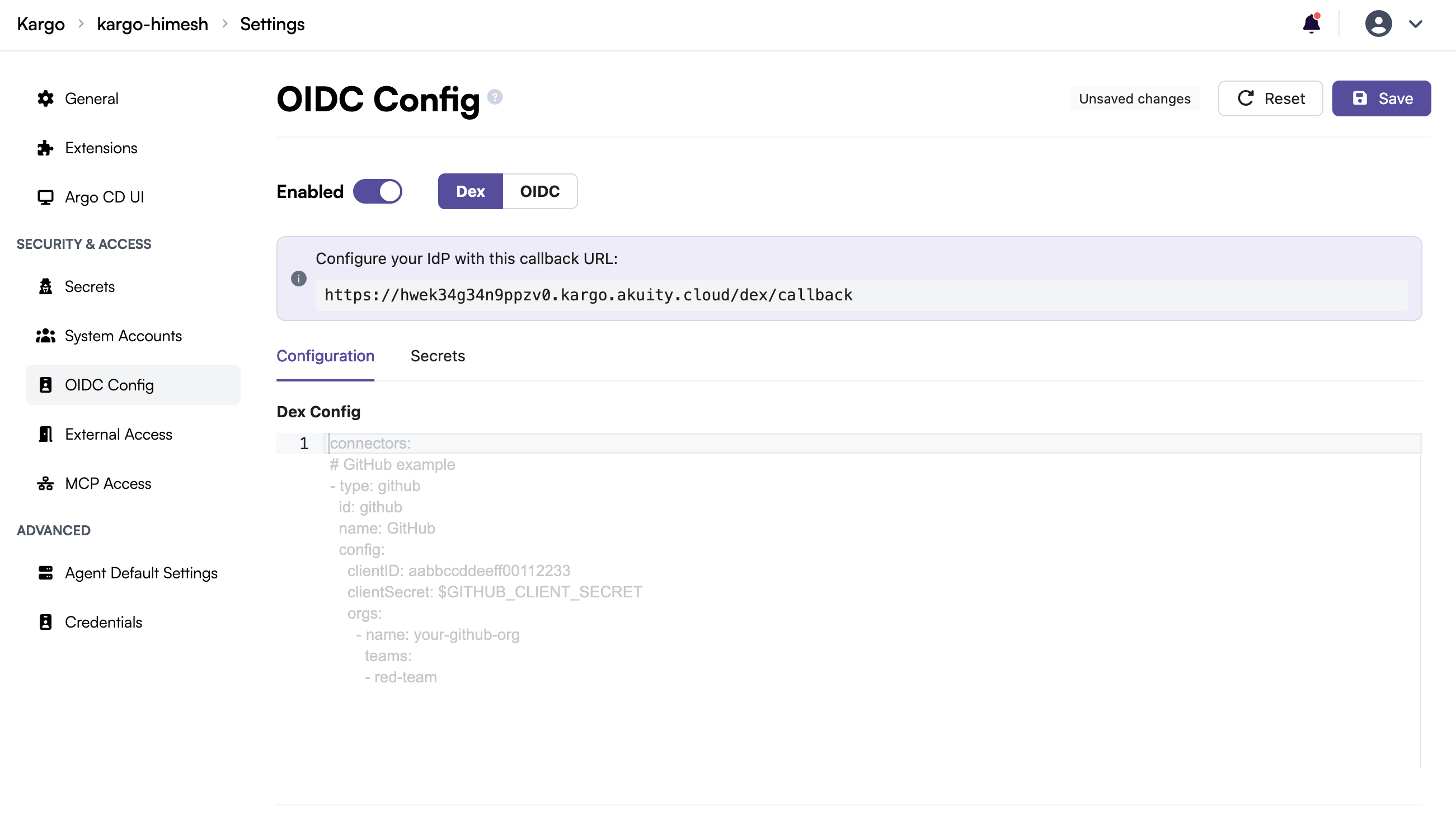
From there, follow the guide for the provider you are configuring.
Fetching Google groups with Dex
To fetch Google Workspace groups, Dex's Google connector needs a Google Cloud service account with domain-wide delegation, and its JSON key file. To set these up:
- Create a service account and JSON key (more on managing keys)
- Grant domain-wide delegation with the scope
https://www.googleapis.com/auth/admin.directory.group.readonly - See the Dex Google connector documentation for the connector options
On the Akuity Platform, you do not mount the key file yourself:
-
In the OIDC Config with Dex selected, open the Secrets tab. Under Google Service Account Secret, click Add Secret and paste the full contents of the service account JSON key. It is stored under the secret key
akp.dex.google.service.account.
-
In the Dex Config, set
serviceAccountFilePathin the Google connector to any value. The Akuity Platform mounts the key into Dex and replaces this value with the correct path:connectors:- type: googleid: googlename: Googleconfig:clientID: <client-id>clientSecret: $GOOGLE_CLIENT_SECRETserviceAccountFilePath: googleAuth.json # any value; replaced by the Akuity PlatformdomainToAdminEmail:"*": admin@example.com
Setting serviceAccountFilePath without the akp.dex.google.service.account secret causes the configuration to be rejected.
When using the Terraform provider, set the secret in kargo.spec.oidc_config.dex_config_secret of the akp_kargo_instance resource, for example "akp.dex.google.service.account" = file("google-sa.json"), and the connector in dex_config.